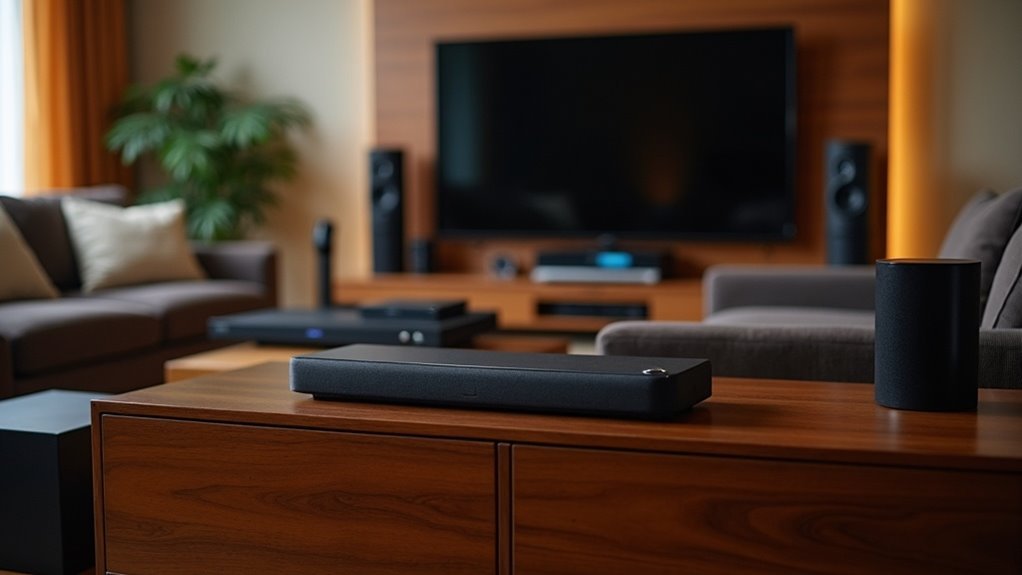
Many soundbars support WAV playback, enhancing your listening experience with lossless audio quality. Look for models like the Yamaha YAS-209, Sony HT-S2000, and Bose Soundbar 700. These soundbars offer USB connectivity and support high-resolution formats. HDMI ARC/eARC is ideal for the best audio quality, while PCM support is essential for WAV files. To guarantee peak performance, check compatibility and connection instructions. Discover more details on our website to help you choose the right soundbar for your needs.
Key Takeaways
- Yamaha YAS-209 offers USB connectivity for direct WAV playback and supports various audio formats including PCM and Dolby Digital.
- Polk MagniFi Mini AX provides excellent sound performance, making it a great choice for WAV playback enthusiasts.
- Vizio Elevate is compatible with high-resolution audio formats, ensuring quality WAV playback.
- Sony HT-S2000 caters to audiophiles with support for lossless audio formats including WAV.
- Sonos Beam Gen 2 and Sonos Arc Ultra both support WAV alongside other formats, enhancing audio versatility for soundbar users.
Understanding WAV Playback in Soundbars
When upgrading your audio experience with soundbars, understanding WAV playback is essential. WAV, or Waveform Audio File Format, provides lossless audio quality, making it ideal for audiophiles.
Many premium soundbars support WAV playback through USB or network streaming, allowing for high-resolution audio enjoyment. These soundbars often come equipped with advanced digital signal processing (DSP) capabilities that enhance clarity and detail during playback.
However, compatibility can vary by manufacturer and model, so it’s important to check the specifications before making a purchase. Brands like Sonos, Bose, and Yamaha frequently include WAV support in their premium soundbar models, catering to users who seek superior audio fidelity in their home audio systems.
Key Features to Look for in WAV-Compatible Soundbars
To ensure you select the optimal WAV-compatible soundbar for your audio requirements, pay attention to several essential features.
Look for models equipped with a USB port, as these generally support WAV playback when linked to compatible devices. HDMI ARC/eARC capabilities are also beneficial, as they enhance sound quality and accommodate high-resolution audio formats, including WAV.
It’s crucial to confirm that the soundbar supports PCM audio format, as WAV files are frequently encoded in this format. Additionally, consider soundbars with a variety of audio input options to ensure compatibility with different devices.
Confirm PCM audio format support for optimal WAV playback, and choose soundbars with versatile audio input options for device compatibility.
Lastly, always check the manufacturer’s specifications and user manuals to verify WAV playback support before finalizing your purchase.
Top Soundbars Supporting WAV Playback
For audiophiles and casual listeners alike, a quality soundbar can greatly enhance the home audio experience, particularly when it supports WAV playback.
The Yamaha YAS-209 stands out with USB connectivity for direct WAV file playback, while the Polk MagniFi Mini AX excels in delivering superior sound performance for music lovers.
Vizio soundbars, including the Vizio Elevate, guarantee compatibility with high-resolution audio formats through various inputs.
Additionally, the Sony HT-S2000 caters to those who prioritize lossless audio formats.
These soundbars not only support WAV playback but also elevate your overall audio experience, making them top choices in today’s market.
Soundbar Recommendations by Brand
When choosing a soundbar, consider brand-specific features that enhance WAV playback, such as the Sonos Arc’s premium audio quality or the Bose Smart Ultra’s versatile format support.
Additionally, it’s important to explore the price range variations among brands like Yamaha, LG, and Samsung, which offer different connectivity options.
Be sure to verify each model’s specifications, as supported audio formats and features may change with firmware updates.
Brand-Specific Features
As you explore soundbars that support WAV playback, you’ll find several options tailored to enhance your audio experience, with each brand offering unique features.
The Sonos Arc Ultra excels with extensive streaming options like Apple AirPlay 2, perfect for music enthusiasts.
Meanwhile, the Bose Smart Ultra enhances immersion with its 5.1.2 channel setup and Dolby Atmos, ensuring a cinematic experience.
The Sony HT-S2000 provides Bluetooth connectivity for WAV files, making it ideal for those who love to stream music wirelessly.
The Yamaha YAS-209 allows WAV playback via its USB port, offering flexibility in how you connect your devices.
Lastly, the Vizio Elevate SE utilizes HDMI ARC for seamless integration with your home entertainment system.
Each of these soundbars guarantees high-quality audio reproduction tailored to your preferences.
Supported Audio Formats
Several soundbars on the market support WAV playback, making them ideal for audiophiles seeking high-quality audio experiences. When considering premium soundbars, it’s essential to check the supported audio formats. Below is a quick reference of popular models:
| Brand | Model | Supported Formats |
|---|---|---|
| Sonos | Beam Gen 2 | WAV, AAC, MP3 |
| Sonos | Arc Ultra | WAV, Dolby Atmos, DTS |
| Yamaha | YAS-209 | WAV, Dolby Digital, PCM |
| Bose | Soundbar 700 | WAV, Dolby Digital, LPCM |
These models guarantee exceptional audio quality, significantly enhancing your listening experience.
Price Range Variations
Price variations for soundbars that support WAV playback can differ significantly based on brand, features, and audio quality.
Budget-friendly options like the Vizio SV210M offer WAV support, making high-quality audio accessible for those on a tighter budget.
In contrast, premium models such as the Bose Smart Ultra and Sonos Arc Ultra provide advanced specifications and accommodate various audio formats, including Dolby Atmos, catering to audiophiles seeking superior sound experiences.
Additionally, brands like Sony and LG offer soundbars that combine WAV support with enhanced functionalities to elevate your listening experience.
When selecting a soundbar, it’s essential to review the specifications to ensure it meets your WAV playback needs within your desired price range.
How to Connect a Soundbar for WAV Playback
To connect your soundbar for WAV playback, you’ll need to evaluate the available connection types, such as USB, HDMI, or optical cables.
Additionally, you can explore streaming options like Bluetooth to effortlessly play WAV files from your mobile device or computer.
Be sure to consult your soundbar’s user manual for detailed capabilities and instructions tailored to your specific model.
Enjoy enhanced audio quality with your soundbar while playing your favorite WAV files!
Connection Types Overview
When connecting a soundbar for WAV playback, choosing the right input type is essential to ensure optimal audio quality. Here are the main connection types you can utilize:
- HDMI (eARC): This option provides the best audio quality, enabling the transmission of uncompressed WAV files directly from your source device.
- Optical: This connection allows for high-quality audio, but be sure to confirm that your source device outputs in WAV format.
- USB ports: You can conveniently connect flash drives containing WAV files for direct playback on your soundbar.
While Bluetooth is an available option, it may compromise audio quality compared to these wired connections.
Always check your soundbar’s specifications for the best results.
Streaming Options Available
When exploring streaming options for WAV playback on a soundbar, you’ll find several effective methods to connect your devices.
Soundbars with HDMI ARC or eARC, like the Sony HT-S2000, enable direct connections for high-quality audio. Bluetooth connectivity is also available, allowing you to stream WAV files from smartphones or tablets, as long as your device supports the format.
Additionally, soundbars with Wi-Fi capabilities, such as the Sonos Beam Gen 2, let you stream WAV files from music services or a local network.
Always check for audio format compatibility to ensure your soundbar supports WAV playback effectively.
Comparing Sound Quality: WAV vs. Other Formats
Although various audio formats are available, WAV stands out for its ability to deliver uncompromised sound quality, particularly when paired with high-end soundbars. Here’s how it compares to other formats in the context of soundbar performance:
- Lossless vs. Lossy: WAV preserves the original audio data without compression, ensuring superior sound fidelity that enhances the listening experience through soundbars.
- File Size: WAV files are larger, but this size reflects the high-resolution audio quality they offer, which can be fully appreciated with capable soundbars.
- Compatibility: Many premium soundbars support WAV, providing an enriched music playback experience. However, it’s essential to verify compatibility with more budget-friendly options to ensure optimal sound quality.
For audiophiles, choosing WAV over lossy formats like MP3 or AAC means prioritizing sound quality, making it an excellent choice for serious listeners who use soundbars to elevate their audio experience.
Common Issues With WAV Playback on Soundbars
Many users encounter challenges when trying to play WAV files on soundbars, primarily due to compatibility issues.
Soundbars typically focus on compressed audio formats like MP3 and AAC, which limits their support for WAV playback. Variations in WAV file specifications, such as sample rates and bit depths, can lead to recognition failures.
Additionally, some soundbars require specific connectivity options, like USB or optical inputs, which aren’t universally available. Even when WAV is supported, soundbars may lack the high-fidelity sound quality of dedicated audio systems.
To ensure a smooth WAV playback experience, it’s essential to check the soundbar’s specifications and manufacturer guidelines for compatibility before attempting to play WAV files.
Future Trends in Soundbars and High-Resolution Audio Support
As soundbar technology continues to evolve, manufacturers are increasingly focusing on high-resolution audio support, including WAV playback, to meet the rising expectations of audiophiles.
Future trends in soundbars indicate that brands will emphasize:
- Advanced DACs to enhance WAV playback capabilities and provide richer audio experiences.
- Integration with popular streaming services such as Tidal and Qobuz, allowing access to extensive high-resolution audio libraries.
- Wireless connectivity options, including Wi-Fi and Bluetooth, enabling seamless streaming from various devices.
Furthermore, anticipate compatibility with cutting-edge audio technologies like Dolby Atmos and DTS:X, which will ensure immersive home theater experiences while delivering exceptional sound quality through high-resolution audio formats.







