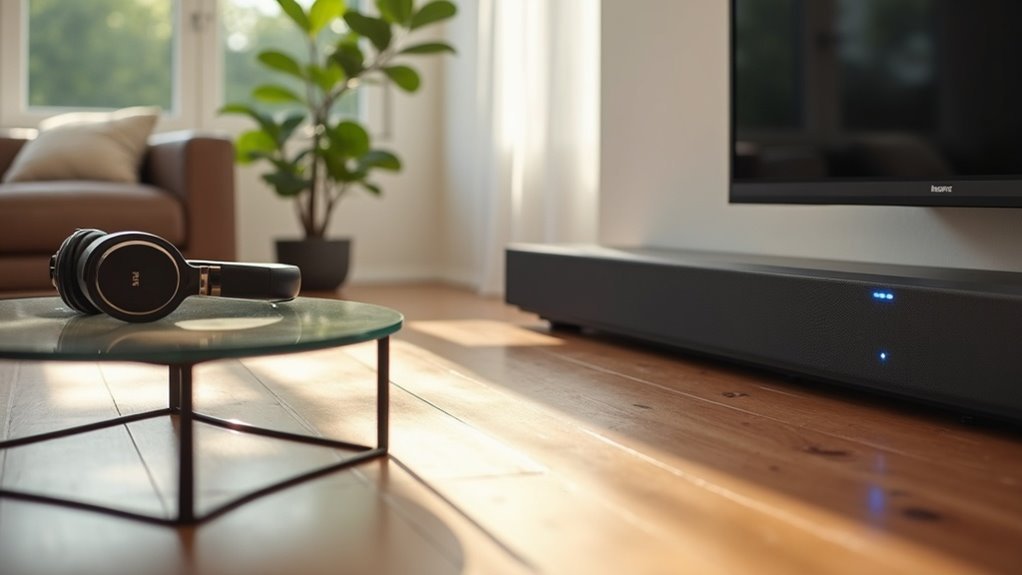
If you’re looking for a soundbar that supports Bluetooth transmission to headphones, consider models like the Sony HT-RT5 and Sony HT-CT790. These soundbars provide direct wireless audio connectivity, enhancing your listening experience. It’s beneficial to choose soundbars with advanced audio codecs like AptX, as they minimize latency for superior audio performance. Always check the compatibility with your devices before making a purchase. For more information on features, options, and additional soundbar recommendations, feel free to explore further.
Key Takeaways
- The Sony HT-RT5 and Sony HT-CT790 are soundbars that support Bluetooth transmission to headphones.
- Before purchasing a soundbar, check the product specifications to confirm its Bluetooth output capabilities.
- Look for advanced audio codecs such as AptX to minimize latency during wireless listening.
- Consider soundbars that offer multi-device pairing, allowing you to connect multiple devices for seamless streaming.
- Ensure that the Bluetooth range meets your needs, as typical limits are around 30 feet.
Understanding Bluetooth Transmission in Soundbars
While many soundbars enhance your audio experience, understanding how Bluetooth transmission works is vital for maximizing their potential.
Currently, most soundbars, including popular models from Sony, enable Bluetooth transmission primarily from the TV. This setup offers convenience, allowing you to enjoy private listening without disturbing others.
However, not all soundbars support direct audio transmission to Bluetooth headphones; some may require an external Bluetooth transmitter connected to your TV’s audio output.
It’s crucial to research compatibility and performance, as these can vary greatly across different soundbar and TV combinations, significantly impacting your overall listening experience.
Key Features of Soundbars With Bluetooth Output
When selecting a soundbar with Bluetooth output, it’s essential to examine the wireless connectivity options available, as they significantly influence your listening experience.
Many soundbar models feature advanced audio technologies such as Dolby Atmos® and DTS:X, which elevate sound quality, making them ideal for movies and gaming.
Additionally, consider soundbars that offer multi-device pairing capabilities, enabling you to connect multiple devices at once for enhanced flexibility in your audio setup.
Wireless Connectivity Options
Many modern soundbars come equipped with Bluetooth output, enabling you to wirelessly connect and stream audio to compatible Bluetooth headphones or devices.
This Bluetooth connection often supports advanced audio codecs like AptX, delivering high-quality sound with minimal latency. The compact design allows for seamless integration into various setups, enhancing your home theater experience.
Additionally, newer models, such as those from Sony, feature dedicated buttons for easy switching between transmit and receive modes, improving usability.
With multi-device pairing capabilities, many soundbars let you connect to multiple audio sources at once, offering flexibility for effortless changes between devices.
Immersive Audio Technologies
As soundbars continue to evolve, they increasingly incorporate immersive audio technologies like Dolby Atmos® and DTS:X, which greatly enhance your listening experience.
These technologies create an immersive sound environment, allowing you to feel as if you’re part of the action, whether you’re watching a movie or enjoying music.
Soundbars such as the Sony HT-CT790 offer the flexibility to switch between transmitting and receiving audio, accommodating wireless headphones.
Additionally, the compact design minimizes clutter while delivering high-quality sound, ensuring that your audio setup is both functional and aesthetically pleasing.
This combination of features makes for a truly engaging audio experience, perfect for any home entertainment setup.
Multi-Device Pairing Capabilities
While enjoying your favorite media, the convenience of multi-device pairing capabilities in modern soundbars significantly enhances your listening experience.
These features allow you to connect multiple Bluetooth devices at the same time, making it easy to switch between a smartphone and a tablet without the need to disconnect. Additionally, you can stream audio from one device while receiving calls or notifications from another, ensuring a smooth and uninterrupted experience.
Some soundbars even support simultaneous audio output to multiple Bluetooth headphones, allowing for shared listening without disturbing others.
However, it’s important to note that the effectiveness of these features can vary depending on the soundbar’s Bluetooth version and supported profiles, which can impact overall performance and compatibility.
Recommended Soundbars for Bluetooth Transmission
When selecting a soundbar for Bluetooth transmission, it’s essential to look for models that not only deliver high-quality audio but also feature user-friendly functionalities.
For example, the Sony HT-RT5 and HT-CT790 both support Bluetooth transmission, enabling seamless audio streaming to Bluetooth devices such as headphones. The HT-CT790 is particularly noteworthy due to its dedicated button on the remote, which allows for easy switching between transmit and receive modes, enhancing user control.
Before making a purchase, it’s advisable to check the product specifications to verify Bluetooth capabilities, ensuring compatibility with your audio devices.
Retailers like Best Buy typically stock these models, making it easier to compare prices and find the best deal.
Benefits of Using Bluetooth Headphones With Soundbars
Using Bluetooth headphones with soundbars significantly enhances your audio experience by offering convenience and privacy that traditional wired connections simply can’t provide.
With Bluetooth technology, you can enjoy private listening, allowing you to immerse yourself in sound without causing disruptions to those around you. The straightforward setup eliminates the clutter of cables while still delivering high-quality audio performance.
Many soundbars are designed to transmit audio seamlessly, making it easy to switch between different sources. Additionally, Bluetooth headphones often come equipped with noise cancellation and immersive sound technology, elevating your overall listening experience.
With independent volume control, you can also customize your audio settings to fit your personal preferences perfectly.
How to Set Up Your Soundbar for Bluetooth Headphones
Setting up your soundbar for Bluetooth headphones is a straightforward process that can significantly enhance your audio experience.
First, ensure that your soundbar supports Bluetooth output—most models, like Sony’s HT-CT790, do. Connect your soundbar to your TV using HDMI ARC, an optical cable, or an auxiliary cable.
Next, enable Bluetooth on your soundbar and put your headphones in pairing mode. Select your headphones from the soundbar’s Bluetooth settings to establish the connection.
If your soundbar doesn’t have Bluetooth transmission capability, you can use a Bluetooth transmitter connected to the TV’s audio output.
Finally, adjust the volume on both your soundbar and headphones for a balanced listening experience.
Common Issues With Bluetooth Connectivity
When using Bluetooth with your soundbar, you might encounter automatic audio switching problems that can disrupt your listening experience.
Limited Bluetooth range can also affect connectivity, making it harder to enjoy audio from a distance.
Additionally, compatibility issues with non-Bluetooth devices may require you to explore alternative solutions for seamless playback with your soundbar.
Automatic Audio Switching Problems
Automatic audio switching can be a frustrating issue for users of soundbars with Bluetooth connectivity, particularly when watching content on a TV. Many find that their TVs unexpectedly revert audio output back to the soundbar, disrupting their playback experience.
This automatic audio switching often varies depending on the TV model and may necessitate adjustments in settings for better control. One effective solution is to disable Consumer Electronics Control (CEC) on your TV, which can help alleviate these issues.
Additionally, turning off the soundbar before use may prevent it from taking over audio control unexpectedly. For an optimal listening experience, manually selecting your preferred audio output can significantly reduce interruptions and enhance your enjoyment of the soundbar.
Limited Bluetooth Range Issues
While Bluetooth technology enhances the convenience of wireless audio for soundbar users, it can also present challenges due to its limited range. Typically, Bluetooth connections are effective up to 30 feet, but obstacles like walls and interference from other devices can significantly reduce this distance, leading to connectivity issues. Moreover, not all soundbars support audio transmission to Bluetooth headphones, which can limit your options for private listening. Additionally, users may experience audio latency, causing a delay between the visuals and the sound. Here’s a summary of common range-related issues encountered with soundbars:
| Issue | Description | Solution |
|---|---|---|
| Range Limitations | Connectivity drops beyond 30 feet | Stay within range |
| Interference | Walls and other devices disrupt signals | Minimize obstacles |
| Latency | Delay in audio transmission | Use low-latency codecs |
| Automatic Switching | Headphones revert to soundbar | Adjust settings properly |
Compatibility With Non-Bluetooth Devices
Soundbars designed primarily for Bluetooth connectivity can pose significant challenges when trying to integrate with non-Bluetooth devices. Many popular models lack the capability to transmit audio output to Bluetooth headphones directly, leading to user frustration.
Compatibility issues often arise with older devices, and audio latency can become a concern during gaming or video playback, disrupting your experience. Additionally, not all soundbars support the same Bluetooth version or codecs, affecting connection quality and stability.
It’s essential to consult product specifications carefully, as some soundbars are solely designed for Bluetooth input, severely limiting compatibility with your headphones.
Comparison of Popular Soundbar Models
When it comes to choosing a soundbar, understanding the differences in Bluetooth capabilities can greatly enhance your listening experience.
The Sony HT-CT790 stands out with its dedicated button for switching between transmit and receive modes, allowing direct Bluetooth audio output to headphones. Similarly, the Sony HT-RT5 supports this functionality, making it ideal for private listening.
In contrast, the Bose Smart Ultra Soundbar, while offering superior Dolby Atmos audio quality, lacks Bluetooth transmission.
If you’re considering models like the Sonos, keep in mind that they don’t support Bluetooth output, which means you’ll need a Bluetooth adapter for headphone connectivity.
Be sure to prioritize features that explicitly mention Bluetooth audio output in the specifications to ensure the best listening experience.
Tips for Choosing the Right Soundbar for Your Needs
Choosing the right soundbar can greatly enhance your home audio experience, especially if you prioritize Bluetooth capabilities for headphones.
First, ensure that the model explicitly states Bluetooth output; many popular brands, like Sonos, lack this feature. Look for soundbars that utilize advanced codecs like AptX to maintain high audio quality during transmission.
Consider versatile models, such as the Sony HT-CT790, which offer toggle settings between transmit and receive modes. Assess the Bluetooth range, typically around 30 feet, to ensure it meets your listening needs.
Lastly, read user reviews and product specifications to confirm compatibility and avoid potential Bluetooth functionality issues.







