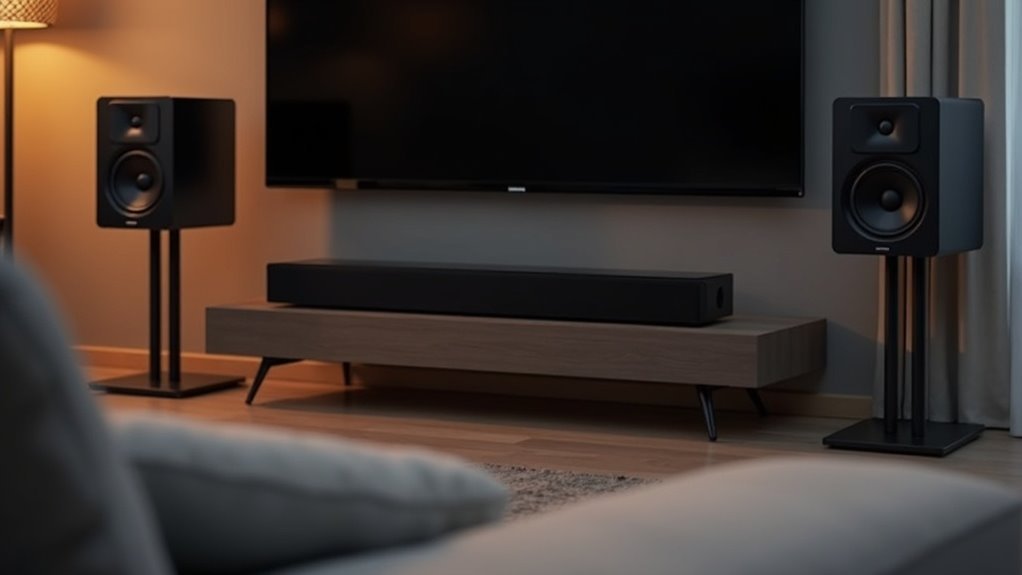
To pair your rear speakers to a soundbar, begin by making sure both devices are powered on and set to pairing mode. Confirm compatibility and check that all connections are secure. Look for a yellow-green LED light, which indicates a successful connection. If the pairing fails, try pressing the PAIRING button again or repeat the pairing process. For optimal audio performance, adjust your soundbar’s settings by enabling surround sound modes and calibrating speaker distances. Continue reading for more detailed steps and troubleshooting tips specific to soundbars.
Key Takeaways
- Ensure your soundbar and rear speakers are compatible, and both are powered on before starting the pairing process.
- Activate pairing mode on both devices and keep them within range for a stable connection.
- Monitor LED indicators for a yellow-green light that confirms successful pairing.
- If pairing fails, retry the process or press the PAIRING button on the devices.
- Adjust audio settings on your soundbar for optimal performance, including enabling surround sound modes and calibrating speaker distances.
Understanding Soundbar Compatibility for Rear Speakers
When you’re looking to enhance your audio experience with a soundbar, understanding compatibility for rear speakers is essential.
Make sure your soundbar supports 5.1 surround sound or better, as 2.0 models lack channels for additional speakers.
Verify that the wireless rear speakers you choose are compatible with your specific soundbar model and its specifications.
Some soundbars, like the SWA-9500S, don’t require a wireless receiver module, while others do for proper connectivity.
Always consult your user manual to confirm compatibility and follow the correct setup process.
Properly connecting your wireless rear speakers will significantly enhance your surround sound experience, immersing you in the action like never before.
Preparing Your Soundbar and Rear Speakers for Pairing
Before pairing your rear speakers with your soundbar, ensure that both devices are compatible, particularly in terms of any required wireless receiver modules.
Start by powering on the soundbar and rear speakers to ensure they’re functioning properly.
Lastly, initiate pairing mode on both the rear speakers and the wireless receiver to commence the connection process.
Confirm Compatibility Requirements
To ensure a successful pairing of your rear speakers with your soundbar, begin by confirming that your soundbar supports multi-channel audio processing, such as 5.1 surround sound.
Review the specifications of both the soundbar and rear speakers to ensure they’re compatible, particularly if a wireless receiver module is required.
For models like the SWA-9500S, verify that no additional wireless receiver is needed—only power cords should be connected.
Ensure that the rear speakers are properly linked to the wireless receiver using color-coded plugs, and if the LINK LED indicator blinks, follow the ID SET process to confirm successful connectivity.
Power Up Devices
As you prepare to pair your rear speakers with your soundbar, ensure that both devices are powered on and ready for the pairing process.
First, confirm that the power cord of the soundbar is connected to a working outlet. Next, check that the power cord for the wireless receiver of the rear speakers is also plugged in properly.
Turn on the soundbar and make sure it’s functioning correctly. Then, press the PAIRING button on both the wireless receiver and the rear speakers to initiate pairing mode.
Keep an eye on the LED indicators on the receiver; a solid light indicates a successful connection. If the connection fails, please repeat the pairing process.
Enable Pairing Mode
With your soundbar powered on and ready, enabling pairing mode is the next step in connecting your rear speakers.
First, locate the PAIRING button on the rear of the wireless receiver and press it; this usually activates an LED indicator that blinks.
Next, press the PAIRING button on the back of the wireless rear speakers to indicate they’re also ready to connect.
Keep an eye on the LED indicators—when the wireless receiver shows a solid light, the connection is successful.
If pairing fails, repeat the process by pressing the PAIRING button on the receiver once more.
Pairing Wireless Rear Speakers to Your Soundbar
To pair your wireless rear speakers to your soundbar, begin by making sure both devices are powered on and set to pairing mode.
If the automatic connection doesn’t succeed, you may need to troubleshoot by manually initiating the pairing process.
For detailed guidance and to resolve any connection issues, always consult your soundbar’s user manual for specific instructions.
Preparing for Pairing Process
Before you begin pairing your wireless rear speakers to your soundbar, ensure that the wireless receiver is connected to a power outlet and that your soundbar is powered on.
Next, verify that your wireless rear speakers are in pairing mode by pressing the PAIRING button on both the receiver and the speakers. The connection should establish automatically, indicated by a yellow-green LED light on the receiver.
If the connection doesn’t establish, manually press the PAIRING button on the receiver again.
For additional assistance, refer to your soundbar’s user manual for troubleshooting steps related to distance or interference issues that may affect the pairing process.
Troubleshooting Connection Issues
If you’re experiencing connection issues while trying to pair your wireless rear speakers to your soundbar, start by ensuring that both devices are properly powered and in pairing mode.
Follow these troubleshooting steps if you still have trouble connecting the wireless speakers:
- Press the PAIRING button on both the wireless receiver and the speakers to initiate the pairing process.
- Ensure that the power cord of the wireless receiver is securely connected and that your soundbar is operational.
- If automatic pairing fails, try pressing the PAIRING button on the receiver once more.
- Check the LINK LED indicator; it should glow solid blue when a successful connection is established.
If problems persist, consult the user manual for your soundbar or contact customer support for further assistance.
Troubleshooting Common Pairing Issues
While pairing rear speakers to your soundbar can enhance your audio experience, troubleshooting common pairing issues is crucial for a seamless setup.
First, ensure that both the wireless rear speakers and the soundbar’s wireless receiver are powered on and in pairing mode by pressing the PAIRING button on each device.
If the LINK LED on the receiver blinks, initiate the ID SET process by turning off the soundbar, holding the VOL or Up button until ID SET appears, and then turning it back on.
If the LINK LED blinks, turn off the soundbar, hold the VOL or Up button until ID SET shows, then power it back on.
If pairing fails, manually press the PAIRING button again and check all connections as needed.
For further assistance, consult the soundbar’s manual.
Adjusting Audio Settings for Optimal Performance
Once you’ve successfully paired your rear speakers to the soundbar, adjusting the audio settings is essential for achieving optimal performance.
Follow these steps to enhance your audio experience with your soundbar:
- Confirm that your soundbar supports surround sound processing (5.1 or higher).
- Enable surround sound modes in the soundbar’s audio settings for the best output.
- Set the distance of the rear speakers to match their actual placement for precise audio delay calibration.
- Adjust individual channel volume levels to create a balanced sound between the front and rear speakers.
Regularly check for firmware updates for your soundbar to enhance audio processing and ensure compatibility with your rear speakers.
Happy listening!
Maintaining Your Wireless Speaker Connection
To ensure a seamless connection with your soundbar, it’s essential to confirm that the wireless receiver module is powered on and properly linked to your soundbar.
If the LINK LED indicator on the wireless receiver is blinking, initiate the ID SET process by pressing and holding the VOL or Up button for 5-6 seconds until ID SET appears.
If the LINK LED on the wireless receiver blinks, press and hold the VOL or Up button for 5-6 seconds to start the ID SET process.
Regularly check that your rear speakers are securely connected using the color-coded plugs to the correct terminals on the wireless receiver.
If you experience connectivity issues, power off both the soundbar and the wireless receiver, then restart the pairing process by pressing the PAIRING button.
Make sure your speakers are within range to maintain a stable connection.
Seeking Additional Support and Resources
If you encounter persistent issues while pairing your rear speakers to your soundbar, seeking additional support and resources can help resolve these challenges.
Here are some steps to evaluate:
- Consult the user manual for specific pairing instructions and troubleshooting tips related to your soundbar model.
- Verify compatibility between your soundbar and the rear speaker kit to ensure they work well together.
- Explore online forums or communities dedicated to soundbars, where users share their experiences and solutions.
- Contact customer support for your specific soundbar brand for professional assistance and guidance.
Utilizing these resources can provide valuable insights, helping you achieve the ideal audio setup with your soundbar and rear speakers.







