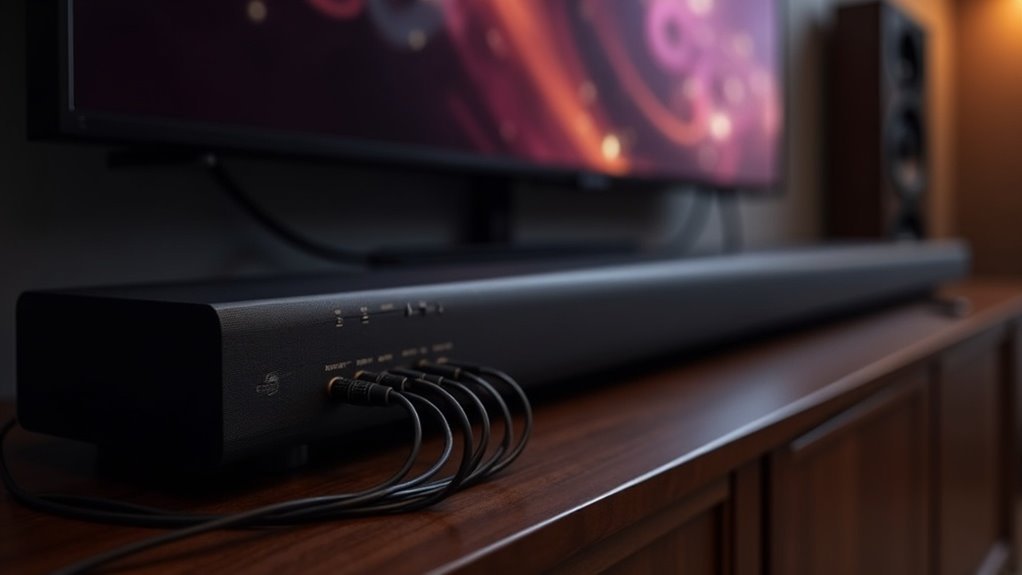
To connect your soundbar to an AV receiver’s pre-outs, first, verify if your soundbar supports RCA or auxiliary inputs. Use a dual RCA to 3.5mm stereo cable or standard RCA cables for the connection. Insert the RCA connectors into the designated “L” and “R” pre-out ports on the receiver. Then, connect the other end to the soundbar’s input. Ensure the soundbar is set to the appropriate source input and powered on. For an optimal sound experience, consider additional setup factors to enhance your audio quality.
Key Takeaways
- Ensure your soundbar features the necessary input options, such as RCA or 3.5mm AUX, to facilitate a connection to the AV receiver pre-outs.
- Utilize dual RCA cables or a dual RCA to 3.5mm stereo cable to link the AV receiver’s pre-outs to the soundbar.
- Connect the RCA connectors to the designated “L” and “R” pre-out ports on your AV receiver, which deliver unprocessed audio signals to your soundbar.
- After establishing the connections, set your soundbar to the appropriate input source to receive audio from the AV receiver.
- Verify settings and power on both devices, adjusting the volume levels for an optimal audio experience with your soundbar.
Understanding Soundbars and AV Receivers
When setting up your audio system, it’s crucial to understand the role of soundbars. Soundbars typically utilize stereo channels and often lack the capability to decode multi-channel formats when connected to an AV receiver‘s pre-outs.
A soundbar serves as a sleek, all-in-one audio solution, designed to deliver improved sound quality over a TV’s built-in speakers without the complexity of a full surround sound system.
To connect a soundbar to an AV receiver using pre-outs, you can use a dual RCA or RCA auxiliary cable. However, this setup may limit the soundbar’s integration with surround speakers, potentially leading to audio inconsistencies.
Soundbars offer a convenient option for enhancing your home audio experience with minimal setup.
Compatibility Considerations
Connecting a soundbar to an AV receiver requires careful consideration of compatibility to guarantee peak performance.
First, verify that your soundbar has the appropriate input options, typically RCA or auxiliary, for a successful connection. Check the soundbar’s specifications to confirm it accepts line-level signals from pre-outs, as not all models do.
While using the center channel pre-out is common, it may restrict the soundbar’s surround sound capabilities. Pay attention to input labeling, such as Line In or AUX, to facilitate proper connections with your receiver’s pre-outs.
Required Equipment for Connection
To connect your soundbar to an AV receiver, you’ll need the right cables and potentially some adapters.
Ensure you have compatible RCA cables, and verify that your soundbar model supports the input type you’ll be using.
This preparation guarantees a seamless connection and optimal audio performance for your home theater experience.
Necessary Cables and Adapters
When setting up your soundbar with an AV receiver, having the right cables and adapters is crucial for a seamless connection. Typically, you’ll need either a dual RCA to 3.5mm stereo cable or a pair of RCA cables for a direct link.
Ensure that your AV receiver is equipped with pre-outs to transmit an unprocessed audio signal. Connect the RCA connectors to the designated “L” and “R” pre-out ports.
If your soundbar only supports a 3.5mm AUX input, you’ll require an RCA to 3.5mm adapter. Lastly, make sure your soundbar is set to the appropriate input source to receive audio from the receiver.
Compatible Soundbar Models
Finding the perfect soundbar for your AV receiver is essential for maximizing audio performance and ensuring seamless connectivity.
It’s important to look for soundbars equipped with RCA or AUX inputs, as these are the most common analog options. Brands like Sonos, Samsung, and Bose frequently promote compatibility with pre-outs, which can significantly enhance your audio experience.
When making connections, a dual RCA to 3.5mm stereo cable can be used to connect the receiver’s pre-out to the soundbar’s input.
Always check the specifications of both the soundbar and the receiver for impedance and power handling to prevent any distortion.
Selecting the right soundbar will ensure peak performance and elevate your listening experience to new heights.
Step-by-Step Connection Guide
Connecting a soundbar to an AV receiver can significantly enhance your audio experience.
First, ensure that your receiver has pre-outs for audio signal transmission. Use a dual RCA cable to connect the left and right pre-outs from the receiver to your soundbar’s RCA inputs, which are typically labeled AUX or Line In.
After making the connection, power on the soundbar and select the correct input source. Adjust the volume levels on both the receiver and soundbar to achieve a balanced audio output without distortion.
Lastly, consult your receiver’s manual to verify pre-out functionality and configure any necessary settings for optimal audio performance, ensuring you enjoy the full benefits of your soundbar.
Troubleshooting Common Issues
Even with a successful connection, you might encounter some common issues that can affect your soundbar experience.
First, ensure that your soundbar accepts the same input type, typically RCA, and that you’re using the correct pre-outs. If there’s no sound, check your soundbar settings to confirm it’s set to receive audio through the correct input, and verify that the soundbar is powered on.
Ensure your soundbar is set to the correct input type and pre-outs, and confirm it’s powered on for sound.
Buzzing or humming noises may indicate grounding issues or faulty cables—consider swapping RCA cables.
Finally, if there’s a volume imbalance, adjust the levels on both the soundbar and your source device independently for a balanced audio experience.
Optimizing Your Audio Experience
To enhance your soundbar experience, begin by choosing a soundbar that matches your AV receiver’s specifications.
Next, familiarize yourself with the connection options available to ensure a direct audio signal, which is crucial for maintaining sound quality.
Lastly, adjust the volume levels between your soundbar and receiver to achieve a harmonious listening environment.
Choosing Compatible Soundbars
When selecting a soundbar, prioritizing compatibility with your AV receiver is essential for optimal audio performance. Look for soundbars that feature RCA or auxiliary inputs to align with your receiver’s pre-outs. Ensure that the soundbar can handle line-level signals, and consider models with multiple input options such as HDMI ARC for added versatility. Research soundbars that support stereo sound processing to elevate your audio experience. Always check specifications and user reviews to ensure seamless integration with your AV receiver.
| Feature | Importance |
|---|---|
| RCA/Auxiliary Inputs | Compatibility with pre-outs |
| Built-in Amplifiers | Direct connection capability |
| Multiple Input Options | Versatility in connections |
| Stereo Sound Processing | Enhanced audio quality |
| User Reviews | Insight on performance |
Connection Methods Explained
Connecting your soundbar to an AV receiver can greatly enhance your audio experience, especially after choosing a compatible model.
Here’s how to optimize the connection using pre-outs:
- Use RCA Cables: Connect the pre-out ports on your receiver (labeled as “Zone 2” or “Main”) to the soundbar’s RCA inputs.
- Power On Devices: Ensure that the soundbar is powered on and set to the correct input mode.
- Adjust Volume: Make necessary volume adjustments on both the receiver and soundbar to achieve the desired audio balance.
- Check Manuals: Refer to the user manuals for both the soundbar and receiver to confirm compatibility and settings for effective audio direction.
Maximizing Sound Quality
Maximizing sound quality is essential for an immersive audio experience, especially when integrating a soundbar with an AV receiver.
Start by ensuring your soundbar’s inputs are designed for optimal audio output to maintain sound integrity. Use high-quality RCA cables to connect the receiver to the soundbar, as poor cables can introduce noise.
Adjust volume levels on both devices to prevent clipping and distortion. Consider bypassing soundbar processing features like upscaling, which can interfere with the original audio signal.
Additionally, regularly check for firmware updates for both the soundbar and receiver to enhance compatibility, performance, and overall sound quality.







