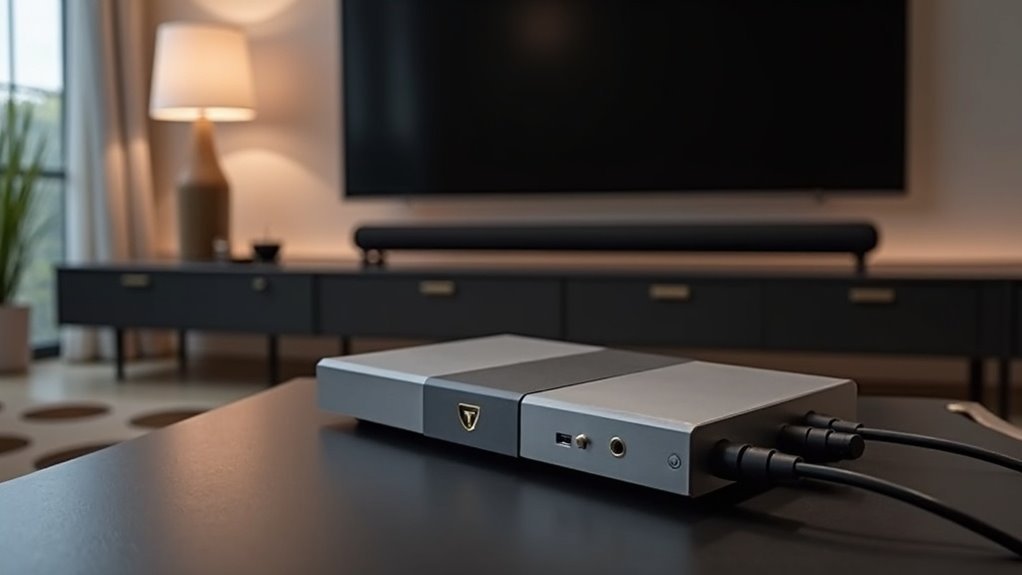
To connect your soundbar using an optical to HDMI converter, start by ensuring both your TV and soundbar are powered off. Plug the optical audio cable into your TV’s optical output and the converter’s input. Next, connect an HDMI cable from the converter’s HDMI output to your soundbar’s HDMI input. Power on the devices and set your soundbar to the correct HDMI mode. For the best soundbar experience and troubleshooting tips, explore further details on connections and configurations.
Key Takeaways
- Ensure your soundbar has an HDMI input and confirm that the optical to HDMI converter supports optical audio input and HDMI output.
- Connect the TV’s optical output to the converter’s input using an optical audio cable.
- Use an HDMI cable to connect the converter’s HDMI output to the soundbar’s HDMI input.
- Power on the converter and check that all connections are secure to avoid signal issues.
- Set the soundbar to the correct HDMI input mode for proper audio signal recognition.
Understanding Optical and HDMI Connections
When you’re setting up your soundbar, understanding the differences between optical and HDMI connections is crucial.
Optical audio transmits digital signals using light, delivering high-quality sound but lacking advanced features that enhance the audio experience.
In contrast, HDMI connections carry both audio and video, providing superior sound quality and supporting formats like HDMI ARC and eARC, which significantly improve your listening experience.
While optical is limited to standard audio formats, HDMI can manage multi-channel audio and high-definition sound, making it the preferred choice for soundbars.
Since there’s no converter to change optical audio to HDMI for soundbars, knowing these distinctions helps you make informed choices for your audio setup.
Required Equipment for Setup
To set up your soundbar with an optical to HDMI converter, you’ll need an optical audio cable and an HDMI cable for proper connections.
Additionally, ensure that your soundbar model is compatible with the converter and check for supported audio formats to guarantee the best sound quality.
Don’t forget to power the converter, as it typically requires an external source to function correctly.
Necessary Cables and Adapters
Before setting up your soundbar with an optical to HDMI converter, it’s essential to gather the necessary cables and adapters for an optimal audio experience.
Here’s what you’ll need:
- Optical cable: This cable connects your TV’s optical audio output to the converter’s optical input, ensuring a high-quality audio signal.
- HDMI cable: This links the converter’s HDMI output to the soundbar’s HDMI input, allowing for seamless audio transfer.
- Powered optical to HDMI converter: A crucial component for effective audio transmission, as passive converters aren’t compatible with most systems.
- Power source: Required to power the converter and maintain its functionality.
- TV remote: Handy for adjusting audio settings to achieve the best sound quality from your soundbar.
Gathering these items will help ensure a smooth setup and exceptional audio performance from your soundbar.
Compatible Soundbar Models
Choosing the right soundbar model is essential for ensuring compatibility with your optical to HDMI converter setup.
First, confirm that your soundbar features an HDMI input port; this allows it to accept the HDMI signal from the converter. Additionally, check that the converter supports optical audio input and HDMI output, as this is vital for functionality.
Make sure the converter can handle the audio formats your soundbar supports, such as Dolby Digital or DTS.
Finally, consult the user manuals for both devices to configure settings correctly, ensuring your soundbar recognizes the audio signal from the HDMI output for a seamless listening experience.
Audio Quality Considerations
When setting up your soundbar with an optical to HDMI converter, understanding audio quality considerations is crucial for achieving the best performance.
While both optical and HDMI can deliver good sound, HDMI-ARC is preferred due to its support for advanced formats like Dolby Atmos. Many soundbars enhance audio quality through HDMI connections, making them a better choice for your audio experience.
To improve your soundbar setup, consider these factors:
- Use high-quality HDMI cables to ensure optimal signal transmission.
- Verify that your soundbar supports HDMI-ARC to take full advantage of its features.
- Check for firmware updates on your soundbar and connected devices for improved performance.
- Test audio settings to find the ideal configuration for your listening environment.
- Be aware that soundbar limitations can impact overall audio quality, so choose a model that meets your needs.
Step-by-Step Connection Process
Connecting a soundbar using an optical to HDMI converter involves a straightforward series of steps to ensure optimal audio performance.
First, confirm that your converter is compatible with both your soundbar and TV.
Begin by connecting the optical cable from the TV’s optical audio output to the converter’s optical input.
Next, use an HDMI cable to link the converter’s HDMI output to your soundbar’s HDMI input.
Power on your TV, soundbar, and converter.
Set the soundbar to the correct HDMI input mode for audio playback.
Finally, adjust the TV settings to output audio through the external soundbar, ensuring that the connection is successful for an enhanced audio experience.
Troubleshooting Common Issues
Even after successfully connecting your soundbar with an optical to HDMI converter, you may encounter some common issues that can affect audio performance.
To troubleshoot effectively, consider the following steps:
- Ensure the converter is powered on and all connections are secure.
- Check that the optical cable is firmly attached to both your TV and the converter.
- Make sure your soundbar is set to the correct input mode for HDMI to receive the audio signal.
- If you experience audio lag or quality issues, consider using an HDMI Audio Extractor for improved performance.
- Always refer to the user manuals for your devices for compatibility and setup guidance.
Enhancing Audio Quality
To enhance audio quality when using an optical to HDMI converter with your soundbar, it’s essential to choose a converter that supports the necessary audio formats and enables low-latency transmission.
Choosing the right optical to HDMI converter is vital for optimal audio quality and low-latency performance with your soundbar.
While an optical cable can deliver high-quality audio signals, it’s important to note that the sound may not be as rich or immersive as that provided by HDMI-ARC.
Ensure that the converter you select is fully compatible with your soundbar’s audio capabilities to achieve optimal sound enhancement.
Additionally, opting for a high-quality converter specifically designed for low-latency audio transmission will help minimize delays.
This thoughtful selection will significantly elevate your audio experience, making your soundbar setup more enjoyable and captivating.
Additional Resources for Support
When you encounter connection issues with your soundbar’s optical to HDMI converter, troubleshooting steps can help identify the problem quickly.
User manuals provide detailed guidance on setup and compatibility, ensuring you make the most of your soundbar and converter.
If you need further assistance, explore the technical support options offered by the soundbar manufacturer for expert advice.
Troubleshooting Connection Issues
If you’re experiencing connection issues with your soundbar using an optical to HDMI converter, it’s crucial to systematically troubleshoot the setup.
Follow these steps to resolve common problems:
- Ensure the converter is compatible with both your soundbar and TV.
- Check your TV settings to confirm that the audio output is set to the optical connection.
- Make sure that the converter is powered on and functioning properly.
- Inspect all cables for secure connections and any signs of damage.
- If issues persist, consult the user manuals for your soundbar and converter for specific troubleshooting steps.
User Manuals Availability
Resolving connectivity issues with your soundbar can often lead you to seek additional support resources, like user manuals.
Most soundbar manufacturers host these user manuals on their official support websites, where you can easily download PDF versions for reference. These manuals provide detailed instructions on setup and connection options, which are essential for using an HDMI with your soundbar.
They also include troubleshooting tips to help you resolve issues efficiently. Be sure to verify compatibility information regarding optical to HDMI converters in the manual to guarantee proper functionality.
Additionally, some sites offer FAQs and instructional videos for an enhanced understanding of your soundbar’s features.
Technical Support Options
When troubleshooting your soundbar, knowing where to find technical support can greatly streamline the process. Here are some valuable resources to consider:
- Manufacturer customer service via email, phone, or live chat
- Online support pages filled with FAQs and troubleshooting guides specifically for soundbars
- Product manuals available on the manufacturer’s website for detailed instructions
- Software updates for your soundbar to ensure optimal performance
- Community forums where users share their experiences and solutions related to soundbars
Utilizing these technical support options can help resolve issues, such as problems with Audio Return, ensuring a seamless audio experience.
Don’t hesitate to reach out for assistance when needed!







