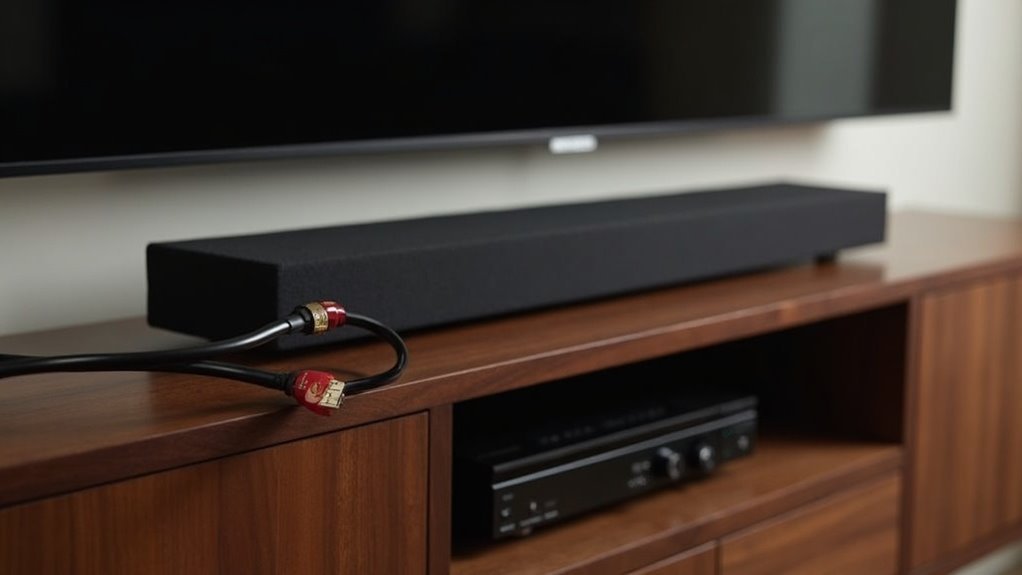
To connect your soundbar and receiver, start by choosing a connection method: use HDMI ARC for high-quality audio or an optical cable for a simpler setup. Ensure both devices support the same audio formats for optimal performance. Connect the cables, adjust your TV’s audio settings to output to the soundbar, and test for sound. If you encounter issues, check the configuration and consider exploring optional enhancements for improved audio quality, which you can learn more about next.
Key Takeaways
- Verify compatibility between your soundbar and receiver, ensuring they support the same audio formats and connection types such as HDMI ARC or optical.
- For the best audio quality, use an HDMI cable labeled [ARC], or opt for an optical cable if HDMI ARC is not available.
- Adjust the audio output settings on your TV to direct sound to the soundbar, avoiding conflicts with other audio devices.
- If you’re using a passive soundbar, connect it to an external amplifier and set the receiver to stereo mode for optimal sound performance.
- Regularly update the firmware on your soundbar to ensure optimal functionality and performance enhancements.
Understanding the Connection Options
When connecting a soundbar to your system, you have several options that can significantly enhance your audio experience. HDMI ARC is a popular choice as it provides high-quality audio transmission, but be mindful that it may cause compatibility issues if both the soundbar and receiver are active at the same time.
Alternatively, using an optical cable offers a simpler setup for casual listening, bypassing the need for complex configurations. Keep in mind that many TVs only come with one ARC input, requiring you to choose between the soundbar and receiver to prevent audio conflicts.
To optimize your setup, consider using HDMI switches to connect multiple devices easily. Always ensure that your soundbar is compatible with your receiver, especially if you’re using an older model, as it may not support more modern soundbars.
HDMI ARC vs. Optical Cable: Which to Choose?
When choosing between HDMI ARC and optical cables for your soundbar setup, consider both audio quality and connection simplicity.
HDMI ARC simplifies your installation by using a single cable for both audio and video, while providing superior sound quality, particularly with modern audio formats.
Conversely, optical cables can be a practical alternative if your devices have limited HDMI ports or if you’re looking for a more casual listening experience with your soundbar.
Audio Quality Comparison
Choosing the right audio connection can greatly impact your soundbar listening experience, and two popular options are HDMI ARC and optical cables.
Here’s a quick audio quality comparison specifically for soundbars:
- Audio Formats: HDMI ARC supports high-definition formats like Dolby Atmos, making it ideal for soundbars that deliver immersive sound, while optical cables transmit standard audio only.
- Bandwidth: HDMI ARC provides higher bandwidth, ensuring superior audio quality for your soundbar compared to optical connections.
- Audio Transmission: HDMI ARC allows two-way audio, enhancing surround sound capabilities in soundbars; optical is one-way only.
- User Experience: HDMI ARC simplifies control of multiple devices connected to your soundbar, improving usability over optical systems that require separate remotes.
For serious soundbar listening, HDMI ARC is generally the better choice.
Connection Simplicity Factors
The connection method you select for your soundbar can greatly impact the overall setup experience. HDMI ARC simplifies connections with a single cable that carries both audio and video, reducing clutter.
It also allows you to control both the TV and soundbar using one remote control, enhancing convenience. In contrast, optical cables require separate connections for video, complicating your setup.
While HDMI ARC supports superior audio formats like Dolby Atmos, optical cables typically don’t, which can limit your audio experience.
Always verify compatibility with your specific soundbar, TV, and receiver to ensure optimal performance and connection simplicity.
Setting up Your Soundbar With a Receiver
To successfully set up your soundbar with a receiver, start by selecting the appropriate connection method based on your devices’ compatibility. Follow these steps:
- Check Compatibility: Verify your soundbar system and receiver would work together, especially with HDMI ARC or eARC.
- Use HDMI Cable: If available, connect the soundbar to the receiver using an HDMI cable labeled [ARC].
- Optical Cable: For alternative setups, use an optical cable for audio output from the TV to the soundbar.
- Configure Settings: Adjust your TV settings to direct audio output to the soundbar for peak performance.
For the latest information and tips about soundbars, ensure you stay updated with the most recent guides and recommendations.
Troubleshooting Common Connection Issues
Even with a proper setup, connection issues can arise when integrating a soundbar with your home audio system.
First, ensure that only one audio output device is active, as using both the soundbar and another audio source simultaneously can lead to conflicts.
Check compatibility, since older audio devices may not support modern soundbars.
If you’re using HDMI or optical connections, confirm that your TV’s audio output settings are configured correctly by selecting the appropriate source for the soundbar.
Be mindful of potential sound delay that can disrupt audio sync; troubleshooting the soundbar independently can help narrow down the issue.
Finally, consult the user manual for the soundbar to resolve any misconfigured settings that may contribute to connection problems.
Enhancing Audio Quality With Additional Speakers
While soundbars can significantly enhance audio quality, incorporating additional speakers into your setup can further elevate your listening experience. Here’s how to optimize your soundbar for an improved Home Theater setup:
Enhance your audio experience by pairing your soundbar with additional speakers for a richer Home Theater setup.
- Pair with Compact Bookshelf Speakers: Consider adding high-fidelity bookshelf speakers from brands like Klipsch to complement your soundbar, creating a fuller sound without taking up too much space.
- Add a Powered Subwoofer: To boost bass response, connecting a powered subwoofer will enhance the low-end frequencies, enriching both music and movies.
- Explore Surround Sound Options: While soundbars provide great audio, pairing them with dedicated speakers can create a more immersive surround sound experience that’s hard to replicate with a soundbar alone.
- Check Compatibility: Ensure that any additional speakers you choose are compatible with your soundbar and receiver to prevent damage and optimize performance.
Exploring Passive Soundbars and Their Benefits
Passive soundbars offer distinct advantages, primarily their ability to connect to external audio receivers for enhanced sound fidelity.
This setup allows you to achieve superior sound separation and immersive audio experiences that exceed those of traditional soundbars.
While they may come with a higher price tag and a more complex installation process, the payoff is often a more satisfying listening experience for serious audiophiles seeking the best sound quality from their soundbars.
Advantages of Passive Soundbars
When you’re looking to elevate your audio experience, opting for a passive soundbar can be a game-changer.
Here are some advantages you can expect:
- Higher-fidelity audio: Connect to external receivers for unmatched sound quality that enhances your overall viewing experience.
- Superior sound separation: Experience distinct audio channels that enhance immersion, making every movie and show more engaging.
- Flexible pairing: Customize your sound system with speakers that fit your acoustic preferences, allowing for a personalized audio setup.
- Streamlined aesthetic: Enjoy a surround sound system that delivers high-quality audio without cluttering your living space, keeping your setup sleek and modern.
Compatibility With Receivers
To achieve the best audio experience with a passive soundbar, ensuring compatibility with your receiver is essential. Passive soundbars lack internal amplifiers and connect directly to receivers, significantly enhancing audio quality.
Not all receivers support the specific connections required, so it’s crucial to verify compatibility before making a purchase. Ideally, use HDMI ports for a seamless connection, which allows for better sound separation and clarity.
Avoid using splitters; instead, connect directly to your receiver and set it to stereo mode for optimal performance. By confirming compatibility, you can fully leverage the capabilities of passive soundbars, creating a richer and more immersive audio experience.







