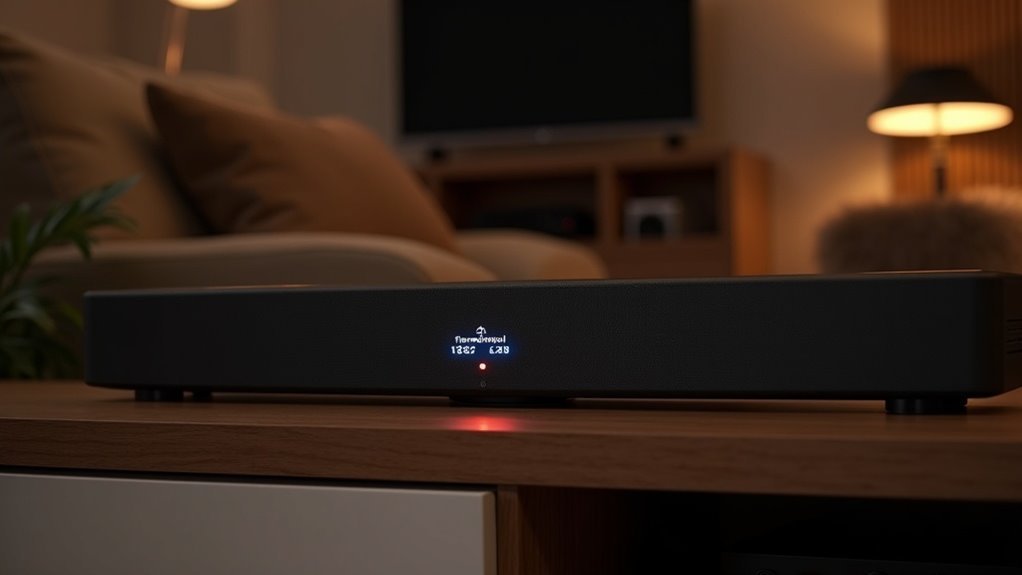
To change your soundbar’s crossover frequency, access the audio settings via the remote, then locate the option labeled “Crossover Frequency” or “Bass Management.” Adjust the frequency starting from 80 Hz, based on your soundbar’s size—compact models may need 150-200 Hz, while larger models typically benefit from 60-80 Hz. Experiment with different settings to find the optimal bass integration with your subwoofer. For further enhancement tips, continue exploring your soundbar’s features and how they impact audio performance.
Key Takeaways
- Access the soundbar’s settings using the remote or mobile app, navigating to the “Audio” or “Crossover Frequency” option.
- Adjust the crossover frequency, starting around 80 Hz, based on your soundbar and speaker size.
- For compact speakers, set the crossover between 150-200 Hz; for mid-size, 80-100 Hz; and for large speakers, 60-80 Hz.
- Conduct listening tests after adjustments, focusing on bass response and the integration with other speakers to fine-tune settings.
- Consider room acoustics and speaker placement, making further adjustments to achieve optimal sound quality and seamless integration.
Understanding Crossover Frequency in Soundbars
Crossover frequency in soundbars is essential for creating an optimal audio experience. It determines the point at which low-frequency sounds are redirected to the subwoofer, typically around 80 Hz for peak performance.
By adjusting the crossover frequency, you can achieve a seamless transition between the soundbar and subwoofer, enhancing clarity in bass-heavy content. Many soundbars come equipped with automatic calibration systems that set this frequency based on their specific capabilities and the room’s acoustics.
If your soundbar allows for manual adjustment, aim to set the crossover frequency approximately 10 Hz above the lowest frequency that your soundbar can handle cleanly. This approach helps to prevent frequency overlap, ensuring clarity and reducing muddiness in sound quality.
Accessing Audio Settings on Your Soundbar
Accessing the audio settings on your soundbar is a straightforward process, especially when you know where to look.
Start by using the remote control to navigate to the “Settings” or “Audio” menu. Within this section, search for options labeled “Crossover Frequency” or “Bass Management.” Here, you can adjust the crossover point, selecting from preset frequencies typically ranging from 40 Hz to 200 Hz, tailored to your speaker setup.
If your soundbar has an accompanying app, you can conveniently modify these settings through the app interface.
Always consult the user manual for specific instructions and available crossover frequency options based on your soundbar model.
Finding the Crossover Frequency Option
Once you’ve located the audio settings on your soundbar, finding the crossover frequency option is the next step.
Use your remote control to navigate to the audio or speaker configuration section. Look for a dedicated “Crossover” setting or access the “Bass Management” or “Subwoofer Settings” sections where the crossover frequency adjustments are typically located.
Navigate to the audio settings using your remote, and check for the “Crossover” or “Bass Management” options for adjustments.
If your soundbar features a mobile app, it may offer an easier interface for this purpose.
For model-specific instructions, consult the user manual, as the location of the crossover frequency option can vary considerably across different soundbar models.
Recommended Starting Points for Crossover Frequency
When fine-tuning your soundbar’s audio performance, establishing the right crossover frequency is essential for achieving ideal sound quality. A common starting point is 80 Hz, in line with THX standards for maximum bass management.
For compact satellite soundbars, aim for a crossover point of 150-200 Hz to guarantee proper bass integration. Mid-size soundbars are best set between 80-100 Hz for a smooth transition to the subwoofer. Large soundbars can effectively utilize a crossover frequency of 60-80 Hz, enhancing low-frequency response.
Always set the crossover frequency about 10 Hz higher than the lowest frequency your soundbar can handle cleanly to optimize your listening experience.
Fine-Tuning Your Crossover Frequency Settings
To achieve ideal audio performance with your soundbar, you’ll need to fine-tune its crossover frequency settings.
Start by accessing the sound settings menu and locating the “Crossover” or “Bass Management” options. Typically, setting the crossover frequency around 80 Hz is recommended, but if your soundbar is paired with larger speakers, consider experimenting with lower settings, such as 60 Hz.
Always adjust the crossover frequency to be about 10 Hz higher than your main speakers’ lowest frequency capability to ensure a smooth transition to the subwoofer.
Refer to your soundbar’s user manual for specific navigation instructions, and be prepared to make iterative adjustments for optimal sound integration.
Listening Tests After Adjustments
After adjusting your soundbar’s crossover frequency, it’s essential to conduct listening tests to assess sound quality effectively.
Focus on the bass response and how well it integrates with your soundbar and any additional speakers; a successful adjustment should yield clear, cohesive audio without gaps.
Document your observations to refine your settings and enhance your overall soundbar listening experience.
Assessing Sound Quality
Conducting listening tests is essential for evaluating sound quality after adjusting the crossover frequency on your soundbar. Use various audio tracks to assess bass integration and overall sound quality. Focus on gaps or overlaps in sound, ensuring a seamless blend.
| Audio Track Type | Observations |
|---|---|
| Bass-heavy tracks | Evaluate bass shifts |
| Vocal-heavy tracks | Assess clarity and blend |
| Mixed genres | Identify distortion or gaps |
Take notes after each test to document improvements or declines. This methodical approach helps you optimize your crossover frequency settings for the best listening experience with your soundbar.
Noting Bass Response
While adjusting the crossover frequency on your soundbar, it’s crucial to understand how the bass interacts with other speakers during listening tests.
Pay close attention to identify any bass bumps or cancellations, as these can indicate that further refinements are necessary. Use specific audio tracks with prominent bass elements to accurately assess your adjustments, ensuring that low frequencies remain clear and well-defined.
Document your observations with each setting change to discover what works best in your particular listening environment.
Remember that the size and acoustics of your room may require different crossover frequency settings for optimal bass performance from your soundbar.
Evaluating Speaker Integration
To ensure your soundbar delivers optimal performance, it’s essential to evaluate its integration with other speakers, such as a subwoofer, through careful listening tests after making any crossover frequency adjustments.
Start by testing various crossover frequencies, like 80 Hz, and pay attention to the bass response. If the bass sounds muddy or overwhelming, consider lowering the crossover frequency to enhance clarity.
Document your observations, noting which settings provide a balanced sound. Reassess after making adjustments to confirm that the soundbar and subwoofer work harmoniously, especially in low frequencies.
This methodical approach helps you achieve the most cohesive audio experience, finely tuned to your preferences and room acoustics.
Tips for Optimal Sound Quality and Integration
To achieve optimal sound quality and integration with your soundbar, begin by setting the crossover frequency around 80 Hz, as recommended by THX standards.
Adjust this setting based on your soundbar’s specifications; if it features smaller satellite speakers, consider lowering the crossover by 10-20 Hz.
Regularly conduct listening tests to fine-tune the crossover, ensuring a seamless blend between your soundbar and any additional speakers for an immersive audio experience.
Ideal Crossover Frequency Settings
Finding the right crossover frequency is essential for achieving ideal sound quality and seamless integration in your soundbar setup. Aim for 80 Hz for general soundbar configurations, adhering to THX standards. For soundbars with built-in subwoofers, consider 150-200 Hz for enhanced clarity, while those paired with external subwoofers may benefit from 60-100 Hz.
| Speaker Type | Recommended Crossover Frequency | Notes |
|---|---|---|
| Soundbars with Built-in Subwoofers | 150-200 Hz | Higher frequency for clarity |
| Soundbars with External Subwoofers | 60-100 Hz | Smooth integration with subwoofer |
| General Soundbar Setup | 80 Hz | THX standard |
| Personal Preference | Adjust as needed | Test for optimal acoustics |
Experiment with settings for the best performance in your soundbar system.
Adjusting for Speaker Size
When adjusting the crossover frequency for your soundbar, it’s important to consider the size and frequency response of your connected speakers, as this can significantly impact overall sound quality and integration.
For compact satellite speakers, aim for a crossover frequency around 150-200 Hz. Conversely, larger speakers typically perform best with settings between 60-100 Hz. Always set the crossover frequency approximately 10 Hz above your speakers’ lowest clean frequency.
To achieve precise calibration, utilize a subwoofer matching tool, and take advantage of your soundbar’s automatic EQ feature, if available, to optimize settings based on your room’s acoustics.
Regularly assess the audio quality to ensure your adjustments align with your listening preferences.
Listening Tests for Calibration
Listening tests are crucial for optimizing the crossover frequency to achieve the best sound quality and seamless integration between your soundbar and subwoofer.
Begin with a crossover frequency of 80 Hz, and make adjustments in 10 Hz increments according to your preferences and the acoustics of your room. Be attentive to any shifts in bass response, as well as any peaks or cancellations, which may indicate the need for further fine-tuning.
Refer to frequency response charts to establish the crossover point 10-20 Hz above the lowest frequency your soundbar can effectively reproduce.
Keep a detailed record of each adjustment to monitor improvements in sound quality, allowing for a personalized listening experience that’s tailored to your specific environment.







