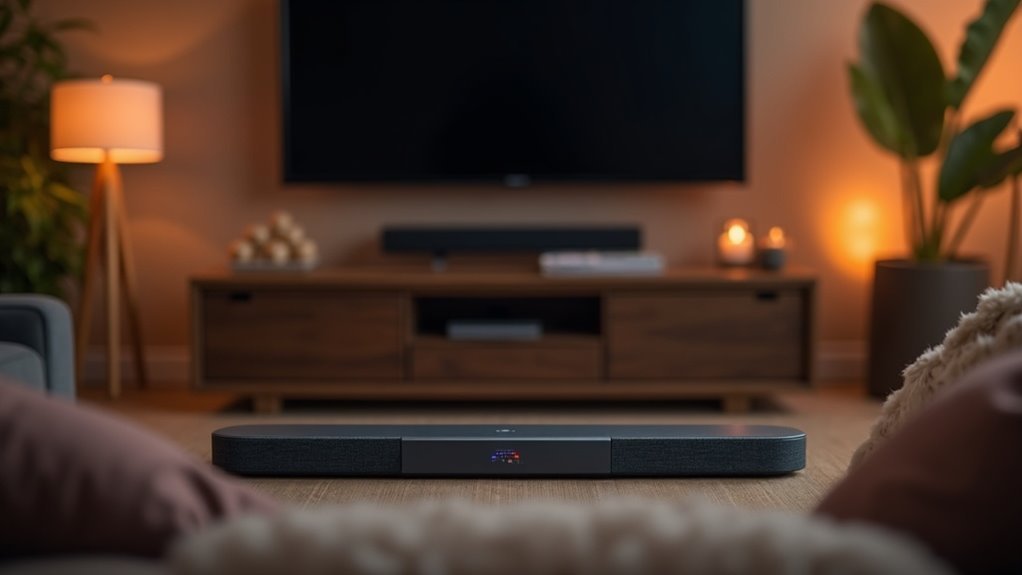
To balance center channel emphasis on your soundbar, start by positioning the unit at ear level, directly beneath your TV, avoiding corners. Activate dialogue enhancement features and adjust equalizer settings to boost mid-range frequencies for optimal sound quality. Consider increasing the center channel level by a few decibels to ensure clearer speech during your favorite shows and movies. Regularly calibrate your soundbar to fine-tune settings based on room acoustics, as this can significantly enhance clarity and overall performance. Understanding these aspects can greatly improve your audio experience while using a soundbar.
Key Takeaways
- Position the soundbar at ear level and centered below the TV to ensure optimal center channel audio clarity for an enhanced soundbar experience.
- Activate the dialogue enhancement feature on your soundbar to boost vocal frequencies, improving speech intelligibility.
- Adjust the center channel level on the soundbar by a few decibels to enhance vocal presence and clarity in dialogue-heavy content.
- Experiment with the equalizer settings on your soundbar to elevate mid-range frequencies, promoting a better balance of the center channel.
- Regularly recalibrate your soundbar after changes in room layout to maintain optimal sound quality and balance.
Importance of Center Channel in Soundbars
The center channel in a soundbar is crucial for delivering an exceptional audio experience, as it accounts for approximately 70% of the sound output, especially when it comes to dialogue and vocals.
Its role is vital in enhancing clarity, ensuring that speech is perfectly synchronized with on-screen action, which contributes to a more immersive viewing experience.
The center channel enhances clarity, synchronizing speech with on-screen action for an immersive viewing experience.
Many soundbars utilize advanced audio processing to ensure seamless transitions between sound effects and dialogue, creating a coherent audio landscape.
Features such as Dialogue Enhancement are designed to further improve the performance of the center channel, making speech clearer even in complex sound environments.
Moreover, soundbars with three-way configurations enhance sound dispersion, minimize lobing, and provide balanced audio throughout the listening area, which is essential for fully enjoying your favorite media.
Optimal Placement for Your Soundbar
Proper placement of your soundbar is crucial for optimizing audio performance and enhancing your overall listening experience.
For the best sound, position the soundbar directly below your TV, centered and parallel, ideally at ear level. This arrangement ensures effective center channel speaker placement, leading to clearer dialogue.
Avoid placing the soundbar in corners or behind furniture, as these locations can distort sound waves and create unwanted echoes. Experiment with slight adjustments to discover the ideal placement for optimal sound dispersion.
If your setup includes an external subwoofer, consider placing it in a corner or along a wall to amplify bass response.
Additionally, incorporating acoustic panels or soft furnishings can significantly improve room acoustics, further enhancing clarity in your main listening area.
Adjusting Soundbar Settings for Dialogue Clarity
Adjusting soundbar settings can greatly enhance dialogue clarity, especially during action-packed scenes where speech might get lost in the mix. To optimize your soundbar for better dialogue, utilize the dialogue enhancement feature if your model includes it, as it boosts vocal frequencies. Additionally, adjust the equalizer settings to elevate mid-range frequencies, which are crucial for clearer speech. Experimenting with various audio presets, such as “Movie” or “News,” can also provide tailored audio experiences for dialogue delivery. If your soundbar allows, consider increasing the center channel level by a few decibels to improve vocal presence. Lastly, don’t forget to regularly check for firmware updates that may enhance your soundbar’s audio performance.
| Setting Type | Recommended Action |
|---|---|
| Dialogue Enhancement | Activate if available |
| Equalizer Settings | Boost mid-range frequencies |
| Audio Presets | Try “Movie” or “News” |
Utilizing Surround Sound Options
To enhance your soundbar experience, utilizing surround sound options like Dolby Atmos or DTS:X can greatly improve the clarity and directionality of dialogue from the center channel.
Many soundbars feature advanced virtual surround sound systems that simulate multi-channel audio, effectively addressing your center channel needs by ensuring dialogue is pronounced.
Adjusting your soundbar’s settings to optimize these surround sound modes helps achieve an ideal balance between the center channel and other audio elements.
Implementing dialogue enhancement features specifically elevates speech clarity without overpowering additional sound layers, ultimately refining your overall audio experience for a more immersive viewing session.
Experimenting With Angles and Distances
To optimize your soundbar’s performance, begin by adjusting its angle slightly to align sound output with your primary listening position for an immersive audio experience.
Next, assess the distance between the soundbar and nearby walls or furniture to minimize unwanted reflections while enhancing sound dispersion.
Finally, fine-tune the audio settings based on these adjustments to achieve a well-balanced and clear center channel, ensuring you enjoy the best possible sound from your soundbar.
Adjusting Speaker Angles
While you may not realize it, the angle and distance of your soundbar can greatly influence your audio experience. Adjusting speaker angles helps direct sound waves toward your listening position, enhancing dialogue clarity. Positioning the soundbar at ear level or tilting it slightly upwards improves the perception of higher frequencies. The table below summarizes key adjustments for optimal soundbar performance:
| Adjustment Type | Impact on Audio Experience |
|---|---|
| Tilt Upwards | Enhances high-frequency clarity |
| Lower Angle | Reduces clarity of dialogue |
| Distance from Walls | Minimizes reflections and echoes |
| Direct Tweeter Aim | Optimizes soundstage and clarity |
| Small Angle Changes | Noticeably affects perception |
Experiment with these adjustments to achieve the best audio results from your soundbar.
Optimal Distance Placement
Finding the ideal distance for your soundbar is essential for achieving the best audio experience, as even small adjustments can greatly impact clarity and immersion.
Aim for perfect distance placement between 3 to 6 feet from your primary listening area. Avoid positioning the soundbar too close to walls or corners to minimize sound reflections that distort the center channel.
Use the “crawling test” by sitting in your main listening position and moving around to identify the best sound quality. Adjust both the distance and angle, considering furniture and acoustics, to enhance your soundbar system’s overall performance.
Fine-tuning Audio Settings
After establishing ideal distance placement for your soundbar, fine-tuning your audio settings is essential for maximizing performance.
Start by experimenting with the angle of your soundbar; tilting it slightly can enhance dialogue clarity by directing sound toward your primary listening position.
Adjust the distance from walls to minimize distortion and echoes, ensuring optimal sound quality.
Utilize calibration tools, like automatic systems, to tailor audio settings based on your room’s acoustics.
Test various placements and distances to find the best spot where dialogue sounds cohesive.
Regularly switch between audio presets or EQ settings while playing dialogue-heavy content to identify the best configuration for your soundbar and listening environment.
Conducting a Calibration Test
To achieve ideal audio performance from your soundbar, conducting a calibration test is essential. Start by utilizing the built-in calibration features or an external microphone to optimize your settings based on your room’s acoustics.
Ensure that your soundbar is positioned at ear level and free from obstructions to guarantee accurate measurements. Play various sound frequencies, placing particular emphasis on dialogue-heavy content to evaluate the center channel’s emphasis for improved dialogue clarity.
Take note of any adjustments you make, such as increasing the center channel by 2dB, to enhance intelligibility. It’s also important to regularly recalibrate the soundbar after any significant changes in your room layout, as these alterations can impact sound quality and overall balance.
Impact of Room Acoustics on Sound Quality
Room acoustics play a crucial role in determining the sound quality of your soundbar by influencing how sound waves reflect off surfaces.
The arrangement of furniture and the selection of materials can significantly enhance or muddle your audio experience.
Implementing acoustic treatments in your room can further optimize your environment, leading to improved clarity and balance in your soundbar’s center channel output.
Sound Wave Reflections
While you mightn’t realize it, the acoustics of your space play an essential role in the sound quality you experience when using a soundbar. Sound wave reflections can greatly affect clarity, as hard surfaces create excessive echoes that distort audio.
To improve your soundbar’s performance, consider incorporating soft furnishings such as rugs and curtains, which help absorb sound and enhance overall clarity.
Additionally, improper placement of soundbars can obstruct sound wave paths, resulting in uneven audio dispersion and dead spots. To optimize your listening experience, experiment with the positioning of your soundbar and consider acoustic treatments.
Conducting a “crawling test” for subwoofer placement can further balance bass response and improve coherence in your room.
Furniture Placement Influence
Acoustic performance is significantly impacted by the placement of your soundbar and surrounding furniture, as the arrangement of objects within a space directly affects sound wave behavior. Positioning your soundbar at ear level and ensuring it is free from obstructions will enhance dialogue intelligibility. It’s best to avoid placing it in corners or near large furniture, as these can lead to sound distortion. Experimenting with the layout of your furniture can improve sound dispersion and reduce unwanted reflections. Incorporating soft furnishings, rugs, and acoustic panels can also help mitigate echoes for a clearer audio experience.
| Furniture Type | Effect on Acoustics |
|---|---|
| Hard Surfaces | Reflect sound waves |
| Soft Furnishings | Absorb sound waves |
| Acoustic Panels | Control excessive reflections |
| Rugs | Dampen echoes |
| Arranged Seating | Optimize sound dispersion |
Acoustic Treatment Solutions
To achieve ideal sound quality with your soundbar, addressing room acoustics is essential, as the physical characteristics of your space can greatly alter audio performance.
Hard surfaces reflect sound waves, creating echoes that muddle clarity and dialogue intelligibility. Incorporating soft furnishings like rugs and curtains absorbs sound reflections, enhancing the overall audio experience.
Strategic placement of your soundbar, along with acoustic panels and bass traps, helps control these reflections, improving frequency response. Larger rooms may require more extensive acoustic treatment to manage sound dispersion effectively.
Experimenting with the positioning of your soundbar and subwoofer can further refine audio performance, ensuring dialogue and sound effects remain clear and well-defined in your listening environment.
Troubleshooting Common Audio Issues
How can you ensure optimal audio performance from your soundbar? Start by adjusting the center channel level trim—boost it by 2dB to enhance dialogue clarity.
Ensure your soundbar is positioned at ear level, as misalignment can lead to audio issues, disconnecting sound from visuals.
Utilize automatic calibration in your soundbar for the best settings tailored to your room acoustics.
Don’t forget to explore the equalizer settings and enable features like Dialogue Enhancement.
Lastly, check your soundbar’s placement; any obstructions from furniture can significantly impact sound dispersion and clarity, ultimately affecting your overall listening experience.







