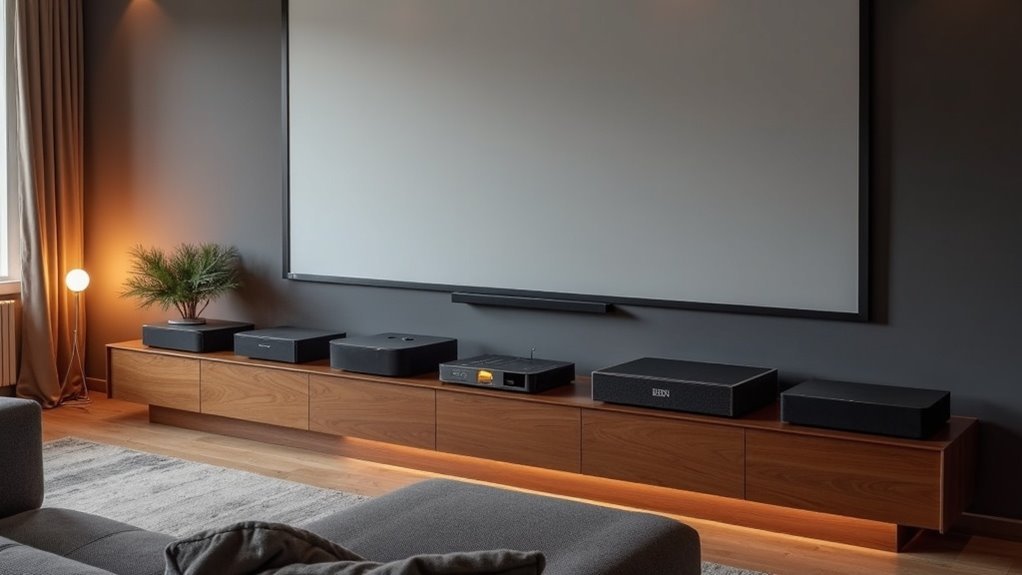
To enhance your home theater experience, consider the Roku Streambar SE, which features built-in 4K streaming and delivers clear dialogue.
The Sonos Arc stands out with its immersive Dolby Atmos sound, while the KY-8000 and Yenjuty soundbars offer customizable audio settings for a tailored listening experience.
For those on a budget, the RIOWOIS and ULTIMEA soundbars provide impressive sound quality without breaking the bank.
When selecting a soundbar, remember to consider connectivity options and design to complement your space.
Stay tuned to learn more about each soundbar and find the ideal match for your setup!
Roku Streambar SE 2-in-1 TV Soundbar with Built-in 4K Streaming

If you’re looking to enhance your audio experience with superior sound quality, the Roku Streambar SE is a top choice. This 2-in-1 soundbar features built-in 4K streaming, ensuring you enjoy both stunning visuals and immersive audio. With two premium speakers and enhanced speech clarity, you won’t miss a word of dialogue. The smart volume control adjusts automatically, allowing you to focus on the action without constant remote adjustments. Setup takes just five minutes, and its compact design fits seamlessly into any space. Plus, with Bluetooth capability, you can easily stream music from your devices, making it a versatile addition to your audio setup.
Best For: The Roku Streambar SE is ideal for individuals seeking an all-in-one solution for enhanced audio and 4K streaming in compact environments.
Pros:
- Easy five-minute setup with everything included.
- Enhanced speech clarity ensures dialogue is clear and easy to follow.
- Bluetooth capability allows for convenient music streaming from mobile devices.
Cons:
- Some users have reported audio distortion and volume inconsistencies.
- The product may be discontinued, raising concerns about future support.
- Incompatibility issues with regional plugs can affect usability for some customers.
Sonos Arc Ultra Soundbar with Dolby Atmos and Voice Control

The Sonos Arc Ultra Soundbar is an outstanding option for anyone looking to enhance their soundbar experience with an immersive audio journey that perfectly complements projector setups, featuring 9.1.4 surround sound powered by Dolby Atmos. Its elegant design, measuring 4.35D x 46.18W x 3.13H inches, seamlessly integrates into your living space. Users will appreciate the deep bass and crystal-clear dialogue, enriched by AI-driven Speech Enhancement. The setup process is straightforward, requiring just a single HDMI eARC connection, and you can easily control it through voice commands or the Sonos app. With a rating of 4.5 stars, this soundbar is a valuable addition for those aiming to elevate their home theater experience.
Best For: Individuals wishing to upgrade their home theater setup with immersive sound and stylish design.
Pros:
- Outstanding audio quality with 9.1.4 surround sound and Dolby Atmos for a cinema-like atmosphere.
- Simple installation via a single HDMI eARC connection and quick setup through the Sonos app.
- Diverse control options including voice commands, the Sonos app, and compatibility with other Sonos products.
Cons:
- Limited HDMI inputs may limit connectivity with additional devices.
- Lack of DTS support, which could be a disadvantage for some users.
- Higher price point compared to basic soundbars, representing a more significant investment.
Sound Bar for Smart TV (80W, Bluetooth, Detachable)

For anyone looking to elevate their audio experience, the KY-8000 soundbar stands out with its powerful 80W output and versatile Bluetooth connectivity. This 2.0 channel soundbar offers three customized equalizer modes—movie, music, and new mode—ensuring you get the perfect sound for every occasion. With a detachable design, you can adjust its placement for ideal audio, whether horizontally, vertically, or wall-mounted. Setup is seamless, thanks to Bluetooth 5.3 and ARC connections, allowing you to control it with your TV remote. Plus, with an 18-month warranty and 24/7 customer support, you’ll enjoy peace of mind with your purchase.
Best For: Anyone seeking an enhanced audio experience for their TV, gaming, or music with customizable sound settings and versatile placement options.
Pros:
- Powerful 80W output for dynamic sound quality and detail.
- Versatile connectivity options including Bluetooth 5.3, ARC, and Optical.
- Detachable design allows for flexible placement to suit different environments.
Cons:
- Some users reported issues with defective products or connectivity challenges.
- Mixed experiences regarding sound quality and features may vary by user.
- A few customers received used or damaged items, affecting their satisfaction.
Sound Bar, 100W Bluetooth 5.3 Home Theater Speaker

With its innovative 2-in-1 detachable design, the Yenjuty Sound Bar is an excellent choice for those aiming to enhance their home theater experience, particularly when combined with a projector. This powerful 100W speaker produces immersive 3D sound through six distinct audio sources, ensuring that your movies, music, and games are brought to life. You’ll benefit from Bluetooth 5.3 technology for reliable wireless streaming up to 10 meters, along with multiple connectivity options such as HDMI ARC and Optical. With three customizable EQ modes, you can adjust the audio settings to fit any type of content. Its sleek, compact design allows it to integrate seamlessly into your living space, making it a great addition to your home entertainment setup.
Best For: The Yenjuty Sound Bar is ideal for home theater enthusiasts who desire an immersive audio experience paired with versatile connectivity options and a space-efficient design.
Pros:
- 2-in-1 Design: Functions as a single soundbar or can be split into two tower speakers for an enhanced surround sound experience.
- Immersive Audio: Provides 100W power and six audio sources for rich bass and clarity, enhancing your enjoyment of music, movies, and gaming.
- Multiple Connectivity: Equipped with Bluetooth 5.3, HDMI ARC, Optical, AUX, and USB for versatile connection choices.
Cons:
- Setup Complexity: Some users report that the setup instructions are insufficient, leading to a confusing installation process.
- Remote Range Issues: Feedback suggests that the remote control may have limited effective range.
- Surround Sound Limitation: The surround sound effect may resemble a widened stereo field rather than delivering true surround sound.
Sound Bar for Smart TV, Home Audio Surround Sound System

Looking for an affordable yet high-quality sound solution for your smart TV and home audio setup? The RIOWOIS Soundbar DS6301G offers a compact design with a bass reflector, making it perfect for your space. It features DSP technology with three modes—movies, music, and news—for tailored audio experiences. Setup is a breeze, compatible with various devices, and you can control it easily with your Fire TV remote. With a solid rating of 4.2 stars from thousands of users, you’ll appreciate its sound quality and customer service support. Plus, it comes with a 5-year warranty for peace of mind.
Best For: Those seeking an affordable, compact sound solution for enhancing their smart TV and home audio experience.
Pros:
- Excellent sound quality with DSP technology and three audio modes for versatile listening.
- Easy installation and setup with included cables and wall mount kits.
- Strong customer support and a generous 5-year warranty with lifetime replacements for accessories.
Cons:
- Some users reported issues with optical connections and sound quality in specific scenarios.
- Visible wires may detract from the overall aesthetic for users preferring a clean look.
- Design received mixed reviews, with some finding it less visually appealing.
Sound Bar for Smart TV with Bluetooth and Detachable Design

The Assistrust KY-2023 soundbar is an outstanding option for anyone in search of a versatile audio solution for their smart TV, particularly if you value the convenience of a detachable design. With a powerful 90W output, this soundbar delivers immersive sound through three customizable modes: Movie, Music, and New. Connectivity is a breeze with Bluetooth 5.3, ARC, Optical, or AUX options, ensuring a straightforward setup. Whether you choose to position it horizontally, vertically, or mount it on the wall, you can expect crystal-clear dialogue and enhanced bass. Additionally, an 18-month warranty and reliable customer support provide peace of mind for any potential issues.
Best For: Those in need of a versatile sound solution for their smart TV that features customizable audio modes and flexible placement options.
Pros:
- Simple installation and setup with a variety of connection options.
- High-quality sound with rich audio performance tailored to different modes.
- Detachable design offers flexible placement and usage.
Cons:
- Some users may encounter challenges during the initial setup.
- A few reports of remote control functionality issues.
- Minor Bluetooth connectivity problems noted by select customers.
ULTIMEA 7.1ch Virtual Surround Sound Bar with Subwoofer

For those in search of an immersive audio experience to enhance their projector setups, the ULTIMEA 7.1ch Virtual Surround Sound Bar with Subwoofer is a standout choice, boasting an impressive 330W peak power. This soundbar system includes four adjustable surround speakers and a wired 4-inch subwoofer, providing impactful bass and exceptional clarity for dialogue. With Bluetooth 5.3 and multiple connection options, streaming your favorite content is a breeze. You can personalize your sound through the Ultimea Smart App, selecting from various equalization settings tailored for movies, music, and more. It’s an ideal option for budget-conscious audiophiles looking to elevate their home theater audio experience without overspending.
Best For: Budget-conscious audiophiles and casual listeners aiming to enhance their home theater audio setup.
Pros:
- Exceptional 7.1 channel surround sound with SurroundX technology for precise audio detail.
- Customizable sound options with a 10-band equalizer and various preset settings for different audio preferences.
- Seamless connectivity via Bluetooth 5.3 and multiple wired connections for versatile device compatibility.
Cons:
- Some users have expressed concerns regarding app functionality and ease of use.
- Volume levels may not meet the needs of all users, particularly in larger spaces.
- The setup for wired connections could be less convenient for those who prefer a wireless solution.
Factors to Consider When Choosing Projector Friendly Soundbars
When selecting a soundbar for your projector setup, it’s essential to consider several important factors. Start by assessing the size and dimensions to ensure a perfect fit in your space. Connectivity options are also crucial; make sure they are compatible with your devices for seamless integration. Additionally, evaluate the audio quality to enhance your viewing experience, along with the design and mounting flexibility of the soundbar to optimize your projector’s performance.
Size and Dimensions
Choosing the right size and dimensions for your soundbar can greatly enhance your audio experience. Aim for a soundbar width between 40 to 50 inches to complement most setups while achieving a balanced look. Keep the height under 3 inches to avoid obstructing views if you place it directly in front of your display. A depth of 2 to 4 inches works well for wall mounting, ensuring it doesn’t interfere with sound projection angles. Opt for a lightweight model, ideally under 10 pounds, for easy installation and reduced strain on mounts. Finally, consider designs that allow flexible placement options, as horizontal and vertical configurations can improve audio distribution during your movie nights.
Connectivity Options
Multiple connectivity options are essential for a seamless soundbar setup with your projector. Look for soundbars that offer HDMI ARC, optical, and AUX inputs to accommodate various projector models. Bluetooth capability is also key, allowing you to stream audio wirelessly from your devices without the hassle of cables. Choose soundbars that provide easy setup through a single HDMI connection for quick integration with your projector and other devices. Additionally, ensure compatibility with your projector’s audio output format, such as PCM-stereo, as some soundbars may not support formats like Dolby or DTS. Finally, consider soundbars that can be controlled via a universal remote or app, simplifying your experience when managing audio alongside projector functions.
Audio Quality
Audio quality is essential for enhancing your soundbar experience, as it directly impacts how you absorb dialogue and sound effects. When choosing a soundbar, focus on sound clarity, especially for dialogue. Enhanced speech clarity features can make a significant difference in your listening experience. Look for soundbars with powerful speakers and dedicated bass ports to create an immersive audio environment that complements your content. Supporting multiple audio channels, like 2.1, 5.1, or 7.1 configurations, enhances surround sound capabilities. Dynamic volume control optimizes audio levels, ensuring clarity during soft dialogues and reducing loud commercials. Finally, customizable equalizer modes let you tailor audio profiles for various content types, enhancing the overall quality for movies, music, or gaming.
Design and Aesthetics
When you set up a projector, the soundbar’s design and aesthetics can truly enhance the overall ambiance of your space. Opt for a soundbar that harmonizes with your interior decor, whether you lean towards sleek, modern designs or more classic styles. A compact form factor is ideal, as it reduces visual clutter, while wall-mountable options can maximize your space efficiency. Consider color choices like black or white to ensure the soundbar seamlessly integrates with your projector and existing furnishings. It’s also essential to focus on build quality; materials such as ABS plastic or metal not only ensure durability but also impart a premium feel. Lastly, pay attention to the placement of speaker ports and controls to ensure usability and accessibility, making your setup both functional and aesthetically pleasing.
Mounting Flexibility
When selecting the ideal soundbar for your projector setup, it’s crucial to consider its mounting flexibility to ensure an optimal viewing experience. Look for wall-mountable designs that maximize space and align seamlessly with your projector screen. Aim for soundbars under 3 inches in height to avoid obstructing the projector’s image when mounted. Versatile placement options—such as horizontal, vertical, or detachable configurations—are important for accommodating your unique room layout and projection requirements. Additionally, choose soundbars that come with integrated mounting kits or accessories, making installation straightforward and cost-effective. Lastly, consider soundbars with adjustable sound modes, which can improve audio clarity in various settings, whether you’re watching a movie or traditional TV.
Compatibility With Projectors
Ascertaining compatibility with your projector is essential for achieving an immersive audio-visual experience with your soundbar. First, choose a soundbar that offers multiple connection options such as HDMI ARC, Optical, and AUX. This flexibility allows for effortless connection to various projector models. Next, look for soundbars that support PCM-stereo audio output, as many projectors may not handle advanced formats like Dolby or DTS. Bluetooth capability can also enhance your setup, enabling wireless audio streaming from devices linked to your projector. Additionally, consider the soundbar’s physical dimensions and mounting options to ensure it fits well within your space, especially if you plan to mount it. Finally, verify that the soundbar provides a quick setup process, ideally taking less than 10 minutes to get you started.
Setup and Installation Ease
After confirming your soundbar’s compatibility with your projector, it’s time to focus on the ease of setup. A quick installation can significantly enhance your experience; soundbars like the Roku Streambar SE allow you to connect in about 5 minutes with just a plug into your TV and an internet connection. Look for HDMI ARC compatibility to streamline your connections and control multiple devices with a single remote. Wireless options, such as Bluetooth 5.3, help minimize cable clutter during installation. Additionally, consider compact designs and wall-mountable options to fit various configurations without obstructing your projected image. Detailed user manuals can further enhance your experience, guiding you through any setup challenges with ease.







