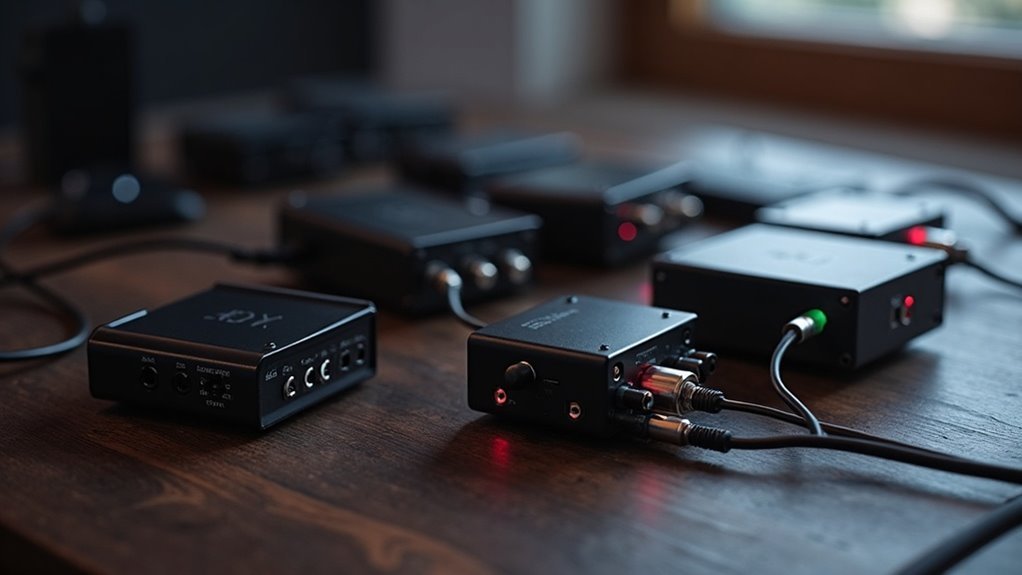
When you’re looking to enhance your soundbar experience, consider these 7 optical audio splitters for seamless sound sharing:
- BlueRigger Digital Optical Splitter 1×2
- Avedio links Optical Splitter
- NEWCAER Digital Splitter
- NEWCARE 1 in 3 Out Splitter
- LiNKFOR Digital Splitter
- BlueRigger Active Toslink Splitter
- J-Tech Digital Splitter.
Each of these models is designed to provide excellent sound quality with easy installation, making them perfect for connecting multiple devices to your soundbar.
Keep reading to find out which one fits your audio needs best!
BlueRigger Digital Optical Audio Splitter 1×2

If you’re looking to enhance your home audio experience with your soundbar, the BlueRigger Digital Optical Audio Splitter 1×2 is an excellent choice. This device takes one optical audio input and splits it into two outputs, allowing you to connect your soundbar and another audio device, such as an A/V receiver, simultaneously. It supports various audio formats, including LPCM, Dolby Digital, and DTS 5.1, ensuring crystal clear sound that complements your soundbar’s performance. With a simple plug-and-play design, installation is a breeze. Just ensure that your connected devices have Toslink ports. Plus, its durable construction and lifetime warranty provide peace of mind for your audio setup.
Best For: Those looking to connect a soundbar and additional audio devices in a home theater setup without compromising sound quality.
Pros:
- Supports a wide range of audio formats, including LPCM, Dolby Digital, and DTS 5.1 for versatile compatibility with soundbars.
- Easy plug-and-play installation makes it user-friendly for both beginners and tech enthusiasts.
- Durable construction with a lifetime warranty ensures long-lasting performance and reliability.
Cons:
- Passive splitter may reduce signal strength, potentially leading to weaker sound output on one side, which could affect soundbar performance.
- Requires connected devices to have Toslink ports, limiting compatibility with some audio devices.
- Output Fiber Optic Toslink cable length should be less than 10 ft for optimal performance, which may restrict setup options.
avedio links Optical Audio Cable Splitter (1 in 2 Out)

The Avedio links Optical Audio Cable Splitter (1 in 2 Out) is an ideal solution for soundbar enthusiasts looking to connect multiple audio devices without compromising on sound quality. With one male input and two female outputs, you can effortlessly link a soundbar and a headset, allowing for independent volume adjustments for a tailored audio experience. It supports high-quality audio formats such as LPCM2.0 and Dolby Digital, ensuring seamless sound transmission up to 150ft with minimal loss. The setup process is straightforward, and users appreciate its consistent performance without noticeable quality drops. Just keep in mind that only one device should be active at a time to avoid audio distortion.
Best For: Soundbar users who want to connect multiple optical audio devices without sacrificing sound quality.
Pros:
- Supports high-quality audio formats like LPCM2.0, Dolby Digital Plus, and DTS, offering versatility for soundbar setups.
- Independent volume control for each output device allows for customized listening experiences.
- Easy plug-and-play installation makes it user-friendly and compatible with a range of devices.
Cons:
- Only one device should be active at a time to prevent audio distortion, which limits simultaneous use.
- Marketing claims regarding gold-plated connectors may be overstated, potentially misleading some users.
- Some users may face installation confusion if they are not aware of the active device limitation.
NEWCAER Digital Optical Splitter 1 in 2 Out for Audio Devices

Looking to enhance your soundbar experience with multiple audio devices? The NEWCAER Digital Optical Splitter is the perfect solution for soundbar enthusiasts. With one input and two outputs, it effortlessly connects an optical signal to devices such as your Apple TV or Xbox, allowing you to enjoy high-quality audio. Supporting LPCM 2.0 and DTS 5.1 formats, this splitter ensures you won’t lose sound quality, even at distances of up to 15 feet. Users love its ability to deliver simultaneous audio without any delay, making it ideal for setups involving soundbars and headphones. Just remember to remove the protective silicone covers for optimal cable connections. Enjoy seamless sound sharing with your soundbar setup!
Best For: Soundbar users looking for a dependable solution to connect multiple audio devices without compromising sound quality.
Pros:
- Supports high-quality audio formats like LPCM 2.0 and DTS 5.1, perfect for soundbar setups.
- Enables simultaneous audio output to multiple devices without any delay.
- Compact design allows for discreet placement alongside your soundbar.
Cons:
- Users may need to remove silicone covers for proper cable connections.
- Some reports of faulty power connections requiring a separate USB power supply.
- Occasional issues with specific units, including lack of signal output.
NEWCARE Optical Audio Splitter 1 in 3 Out

For anyone looking to elevate their soundbar experience, the NEWCARE Optical Audio Splitter 1 in 3 Out is a fantastic accessory that allows you to connect one optical fiber signal input to three output devices effortlessly. It supports LPCM2.0, Dolby Digital, and DTS 5.1, ensuring compatibility with a range of devices including soundbars, Xbox, PS4, and more. With its automatic balance system, you can enjoy no loss or delay in signal transmission, perfect for immersive sound. Additionally, its ESD protection provides safety during use. You can easily plug and play with devices like Apple TV and Blu-ray players, while the 40m transmission distance offers flexibility in your setup. A satisfaction guarantee backs this dependable product.
Best For: Soundbar enthusiasts and gamers seeking to connect multiple devices for an enhanced audio experience.
Pros:
- Supports various audio formats including LPCM2.0, Dolby Digital, and DTS 5.1, making it versatile for soundbar applications.
- Automatic balance system guarantees no loss or delay in signal transmission, delivering high-quality audio.
- Simple setup with plug and play compatibility for multiple devices like Apple TV and Blu-ray players.
Cons:
- Limited to optical connections, which may not suit every audio setup or soundbar.
- Transmission distance is contingent on the quality of the optical fiber cable, which may vary.
- Possible compatibility issues with older soundbars or devices that do not support modern audio formats.
LiNKFOR Digital Optical Audio Splitter (1×3)

If you’re looking to enhance your soundbar setup by splitting a single optical audio signal into three outputs, the LiNKFOR Digital Optical Audio Splitter (1×3) is a fantastic option. This splitter is compatible with various audio formats, including 5.1CH Dolby-AC3 and PCM, ensuring exceptional sound quality that complements your soundbar experience. Its long-distance transmission capability allows for minimal loss of audio clarity even up to 80 feet. Users appreciate the hassle-free plug-and-play setup, with no remote control needed. Just keep in mind that it requires USB power, so you might need an external power source. For the best results, it’s recommended to connect primarily to one device at a time to avoid any potential audio delays.
Best For: Soundbar users who want to split a single optical audio signal into multiple outputs without sacrificing sound quality.
Pros:
- Supports multiple audio formats including 5.1CH Dolby-AC3 and PCM for exceptional sound quality tailored for soundbars.
- User-friendly plug-and-play setup with no remote control required, ideal for quick installations.
- Capable of long-distance transmission up to 80 feet with minimal signal loss, perfect for larger setups.
Cons:
- Requires USB power, which may necessitate an external power source if USB ports are limited in your configuration.
- Potential audio delay when connecting multiple devices, which can lead to echo effects and disrupt audio synchronization.
- Only one optical cable included, requiring additional purchases for complete soundbar setups.
BlueRigger Digital Optical Audio Splitter (Active Toslink Splitter)

The BlueRigger Digital Optical Audio Splitter is an excellent choice for soundbar enthusiasts who need to connect multiple devices without sacrificing audio quality. This active Toslink splitter features one input and two outputs, making it perfect for connecting your soundbar to an HDTV, gaming consoles, and other audio devices. It supports various formats, including Dolby Digital and DTS, with sampling rates up to 96kHz, ensuring an immersive audio experience. Its durable aluminum shell and high-quality fiber optic core guarantee low attenuation and minimal interference. Rated 4.5 out of 5 stars, it also comes with a lifetime warranty and US-based customer support, providing reliability and satisfaction.
Best For: Soundbar users looking to connect multiple audio sources without compromising sound quality.
Pros:
- Supports a wide range of audio formats including Dolby Digital, DTS, and LPCM, ensuring compatibility with various soundbars and devices.
- Durable construction with an aluminum alloy shell and high-quality fiber optic core for enhanced durability and reduced signal interference.
- Lifetime warranty and US-based customer support provide peace of mind and assistance for any issues that may arise.
Cons:
- Not compatible with 7.1CH Dolby Digital Plus and Dolby TrueHD, limiting use with advanced audio setups.
- Some customer concerns regarding connector fit and alignment, which may affect ease of installation with soundbars.
- Power cable included, but AC adapter not included, potentially requiring an additional purchase for some setups.
J-Tech Digital Optical Splitter 1 in 3 Out for TV

Designed for those who want to enhance their soundbar experience, the J-Tech Digital Optical Splitter 1 in 3 Out is an ideal addition to your home entertainment setup. This Toslink splitter efficiently distributes one optical signal to three SPDIF/TosLink devices, making it perfect for connecting multiple soundbars or audio devices while supporting LPCM2.0, DTS, and Dolby Digital sound formats. You’ll enjoy 5.1 channel output for distances up to 15 feet, with compatibility for PCM Stereo at various sampling rates. Its plug-and-play functionality ensures a hassle-free installation process, while over-voltage protection safeguards against power mismatches. Plus, with a solid warranty and lifetime tech support, you can trust this splitter for consistent and reliable performance.
Best For: Individuals looking to connect multiple soundbars or audio devices in their home entertainment system, ensuring optimal sound quality and easy installation.
Pros:
- Plug-and-play functionality for quick and straightforward setup.
- Supports various audio formats including LPCM2.0, DTS, and Dolby Digital.
- Reliable performance with over-voltage protection to prevent damage.
Cons:
- Some users reported challenges with setup and driver configuration.
- Mixed reviews on customer service responsiveness and replacement processes.
- Limited distance of 15 feet for optimal 5.1 channel output.
Factors to Consider When Choosing an Optical Audio Splitter
When selecting an optical audio splitter for your soundbar setup, there are several important factors to consider. First, assess the number of outputs required to connect your soundbar and any additional audio devices. Next, ensure the splitter supports the audio formats compatible with your soundbar, such as Dolby Digital or DTS. It’s also crucial to evaluate the distance the audio signal will need to travel, as longer distances may require higher quality splitters. Lastly, pay attention to the build quality and power requirements to ensure optimal performance and durability for your soundbar system.
Number of Outputs
Choosing the right number of outputs for your soundbar’s optical audio splitter is essential for optimizing your audio setup. Depending on your needs, common configurations like 1×2 or 1×3 can greatly impact your experience. A 1×3 splitter allows you to connect a single audio source, such as your TV or gaming console, to multiple soundbars or headphones, offering flexibility in your audio experience. However, keep in mind that each additional output may affect audio quality, particularly with passive splitters, which can reduce signal strength. Verify the splitter matches your soundbar system’s requirements; for instance, a 1×2 might suffice for connecting a soundbar and a receiver, while a 1×3 is better for setups with several audio outputs. Always avoid connecting multiple active sources to a single input to prevent distortion.
Supported Audio Formats
Supported audio formats play a crucial role in ensuring your soundbar meets your home theater needs. When selecting one, make sure it supports common formats like LPCM 2.0, Dolby Digital, and DTS 5.1 for compatibility with various devices. If you desire enhanced sound quality, consider soundbars that support advanced formats like Dolby Digital Plus or DTS-HD. Pay attention to the supported audio sampling rates; many soundbars handle up to 96kHz, which can provide clearer sound reproduction. However, be cautious, as some soundbars don’t support 7.1CH audio formats, limiting their use in high-definition setups. Finally, verify the soundbar maintains high-quality transmission, ideally keeping signal loss under 0.2db/m for peak audio performance.
Transmission Distance
Audio quality isn’t just about the formats your soundbar supports; transmission distance also plays a significant role in how well your optical audio splitter performs when connecting to the soundbar. Typically, effective transmission distances for optical audio splitters range from 15 feet to 40 meters, with many models maintaining high fidelity up to 25 meters. However, longer cables can introduce signal loss, averaging around 0.2dB per meter, which might degrade audio quality. To optimize performance, it’s best to use shorter cables, ideally under 10 feet, especially when connecting to your soundbar. Additionally, consider your environment; excessive bends or interference in the cable path can further impact both transmission distance and audio quality. By keeping these factors in mind, you can ensure a seamless sound experience with your soundbar.
Build Quality Materials
When you’re in the market for a soundbar, the build quality materials play a crucial role in its performance and longevity. Look for soundbars made from durable materials such as high-grade aluminum alloy and sturdy plastics, as these enhance durability over time. Precision polished gold-plated connectors are essential for optimal signal transfer, ensuring minimal corrosion and delivering high-fidelity sound. A solid construction featuring ESD protection circuits will safeguard against electrostatic discharge, enhancing safety and reliability. Additionally, a tight-fitting design is important to prevent loose connections, which can lead to signal loss or audio distortion. Finally, consider the weight and compact dimensions of the soundbar; heavier models often indicate a more robust internal design. By prioritizing these features, you’ll be able to select a high-quality soundbar that elevates your audio experience.
Power Requirements
Choosing the right optical audio splitter for your soundbar involves considering its power requirements, especially if you want to maintain ideal sound quality. Many optical audio splitters need a power source, often supplied via USB. If you lack available USB ports, you’ll need an external power brick. Active splitters usually have specific power needs to guarantee consistent signal strength, while passive ones typically don’t require extra power but may lead to signal loss. Also, check if the splitter includes a power adapter—many don’t and will rely on external sources. Finally, consider the power consumption and how many devices you’re connecting, as this can affect compatibility with your soundbar setup.
Ease of Installation
When it comes to soundbars, the ease of installation of optical audio splitters can vary significantly, so it’s crucial to consider a few important factors. Look for a plug-and-play design that enables simple connections, eliminating the need for extra drivers or complicated setups. Ensure that the splitter is compatible with Toslink ports to facilitate seamless connections with your soundbar and other audio devices. Additionally, check for any protective covers on the connectors that may need to be removed for a proper fit during installation. It’s also wise to consider the length of optical cables used; keeping them under 10 ft helps maintain signal quality and simplifies the installation process. Lastly, review user feedback to uncover any common challenges others have encountered while installing their soundbars with optical audio splitters.
Compatibility With Devices
Installing your soundbar with the right optical audio splitter is crucial for achieving optimal performance. Compatibility with your devices plays a significant role in this process. Firstly, ensure the splitter supports the necessary audio formats for your soundbar and connected devices, such as LPCM 2.0, Dolby Digital, and DTS 5.1. It’s essential to verify that your devices are equipped with Toslink ports, as these are required for the optical connection. Additionally, take into account the splitter’s maximum transmission distance; some models can extend up to 150 feet while maintaining minimal signal loss. If you plan to connect multiple devices to your soundbar, check that the splitter can provide simultaneous audio output without compromising sound quality. Lastly, consider any power supply needs, as some splitters may require external power sources or specific USB inputs to function properly.
Warranty and Support
When you’re selecting a soundbar, the warranty and support can greatly impact your experience. Most soundbars offer a lifetime warranty or satisfaction guarantee, providing you with peace of mind in case you’re not satisfied. However, it’s essential to check the warranty details; some manufacturers may only cover specific components or issues. Customer support is another important factor to consider, as some brands offer US-based service, making it easier to resolve any problems. Additionally, many soundbars come with free lifetime technical support, ensuring you can get assistance whenever you need it. Just remember to read the fine print on warranty terms, as they often include conditions regarding proper use and installation to understand what’s covered.







