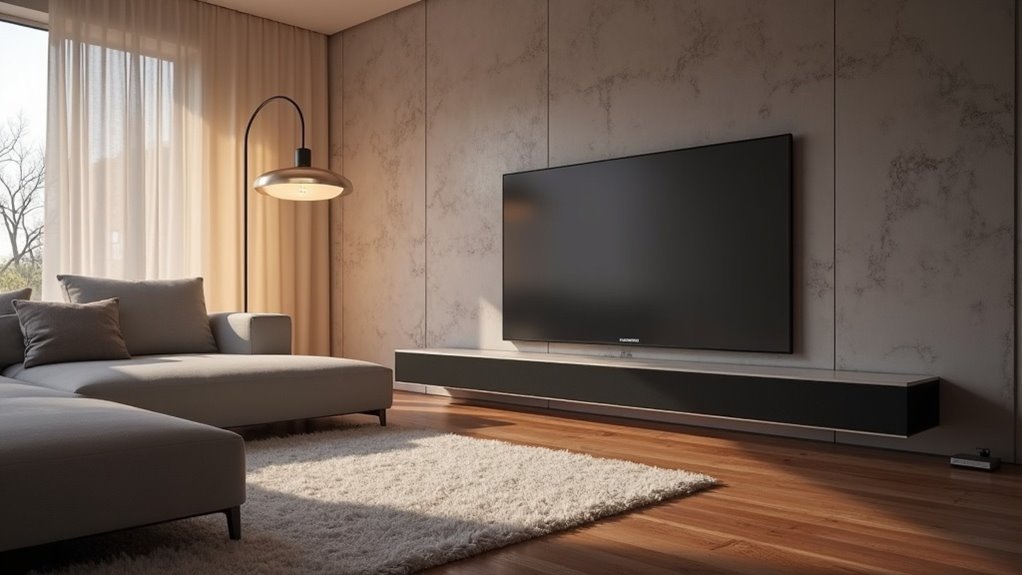
To calibrate your soundbar in an asymmetrical room, start by positioning the soundbar at ear level and centered with your TV and seating arrangement. Utilize calibration tools like Trueplay to measure audio output and make necessary adjustments for reflections and frequency imbalances. Experiment with the placements of both the soundbar and subwoofer, paying attention to quiet to mid-level listening for enhanced clarity. Fine-tune the equalizer settings to achieve a balanced sound across bass, midrange, and treble frequencies. There’s a wealth of techniques to explore for perfecting your soundbar’s performance.
Key Takeaways
- Position the soundbar at ear level and center it with the TV and seating for optimal audio dispersion.
- Maintain a distance of 4-6 inches from walls to prevent sound distortion and reflections.
- Use Trueplay calibration to analyze room acoustics and adjust settings for clearer sound output, enhancing your soundbar experience.
- Experiment with soundbar and subwoofer placement, focusing on quiet to mid-level listening to improve overall sound quality.
- Regularly fine-tune equalizer settings on your soundbar, adjusting bass, midrange, and treble for balanced audio output across various content types.
Understanding Asymmetrical Room Acoustics
When you’re calibrating a soundbar in an asymmetrical room, it’s essential to understand how the room’s shape affects sound distribution. The irregular layout can create uneven sound levels, particularly at your listening position, due to varying distances and angles from the soundbar.
This leads to frequency imbalances, with certain areas experiencing pronounced peaks and troughs, especially in the bass frequencies. Additionally, furniture and walls may cause reflections and standing waves, further compromising audio clarity.
To mitigate these issues, consider using calibration tools like Trueplay specifically designed for soundbars to adjust for the unique acoustics, although they won’t entirely solve problems from irregular speaker placement.
Positioning the Soundbar for Optimal Performance
To achieve ideal performance from your soundbar, positioning is essential. Place the soundbar at ear level, ideally between 76 and 88 inches from your seating position, ensuring optimal sound clarity and directionality.
Center the soundbar with your TV and primary seating area to promote balanced audio dispersion, even in asymmetrical rooms. If possible, mount it on a wall or position it on an entertainment unit, avoiding direct floor placement to enhance sound quality.
Maintain a distance of 4-6 inches from the nearest walls to prevent sound reflections that could distort audio. Additionally, utilize Trueplay calibration for room correction, adjusting the soundbar’s output based on your room’s unique acoustics for the best listening experience.
Measuring Audio Output and Adjusting Settings
Measuring audio output and adjusting settings is essential for optimizing your soundbar’s performance.
Start by measuring the distance from the soundbar to your primary listening position, which should be 2.65m (88 inches) in this case. If available, utilize Trueplay adjustment to analyze audio output, adapting to your room’s unique acoustic properties.
Experiment with the placement of the soundbar and subwoofer, as their locations greatly impact sound quality. Assess volume levels, focusing on quiet to mid-level listening, to avoid distortion.
Finally, test with various reference tracks to identify discrepancies, allowing for precise fine-tuning and achieving a balanced audio experience tailored specifically for your soundbar setup.
Utilizing Room Correction Technology
Enhancing your soundbar’s performance continues with the application of room correction technology. Utilizing tools like Sonos’ Trueplay, you can analyze your room’s acoustics and adjust your soundbar’s output effectively. This technology captures sound from various positions to ensure precise calibration.
- Measures sound at different locations
- Compensates for reflections and irregularities
- Improves clarity and balance across frequencies
- Requires regular re-evaluation for optimal results
While room correction technology significantly enhances your soundbar’s listening experience, be mindful that manual adjustments may still be necessary, particularly in asymmetrical layouts.
Manual adjustments may be needed for optimal sound in asymmetrical layouts, even with advanced room correction technology.
Regularly check your settings after any changes to your room’s furnishings to maintain the best sound quality.
Fine-Tuning Equalizer Settings
To achieve ideal sound quality with your soundbar, you’ll need to adjust the equalizer settings meticulously.
Start by balancing volume levels across all audio outputs, ensuring a cohesive audio experience.
Then, fine-tune the frequency response, especially in the bass and mid-range, to enhance clarity and depth based on your room’s unique acoustics.
Adjusting Frequency Response
Calibrating your soundbar’s frequency response is essential for achieving high-fidelity audio tailored to your unique space.
Start by utilizing the Trueplay feature in Sonos soundbars, which adjusts equalizer settings based on room acoustics.
Focus on adjusting frequency response by:
- Tuning bass, midrange, and treble levels independently for optimal sound.
- Reducing low-frequency output if excessive bass occurs to maintain balance.
- Using measurement software to visualize peaks and dips for precise adjustments.
- Regularly reassessing settings after any changes in room layout or furnishings to ensure continued sound quality.
Balancing Volume Levels
Balancing volume levels with your soundbar requires careful attention to its equalizer settings to ensure a harmonious listening experience.
Utilize the Sonos Trueplay feature to analyze room acoustics, automatically adjusting settings for optimal sound. Keep your listening distance of 2.65m (88 inches) in mind for comfort.
Manually adjust the equalizer to boost mid-range frequencies, enhancing dialogue clarity. Monitor volume levels between the soundbar and subwoofer, preventing the subwoofer from overpowering the soundbar, especially with the Sub Mini model.
Regularly reassess your settings as room acoustics can change, ensuring continuous improvement of sound quality in your unique space.
Testing and Refining the Setup
To guarantee ideal sound performance from your soundbar, adjust your listening position and measure speaker output in your specific environment.
Experiment with different placements and angles to pinpoint the most effective arrangement for your soundbar.
This systematic testing will help you refine your setup for a balanced audio experience.
Listening Position Adjustment
While optimizing sound quality with your soundbar, adjusting your listening position is essential for achieving the best audio experience.
To enhance your setup, make sure to:
- Test various spots within the designated area to find the ideal audio balance for your soundbar.
- Utilize the Sonos Trueplay feature to analyze sound interactions influenced by room dimensions and furniture in relation to your soundbar.
- Adjust the soundbar’s height and angle to align with ear level when seated for optimal sound projection.
- Conduct multiple tests with different audio sources to evaluate the soundbar’s performance across various sound types.
Document any changes made to track improvements and refine your listening position adjustment effectively for your soundbar setup.
Speaker Output Measurement
Measuring speaker output is essential for fine-tuning your soundbar setup, particularly in asymmetrical rooms where acoustic challenges can arise.
Begin by using a sound level meter at your primary listening position to ensure balanced output across various frequencies. Employ calibration software for frequency response measurements, which allows you to visualize any peaks or troughs caused by your room’s layout.
If you utilize Sonos soundbars, take advantage of the Trueplay adjustment feature for optimal output tailored to your room’s acoustics. Experiment with the placement of your soundbar and any stands to achieve the ideal ear height and symmetrical positioning.
Regularly revisit these measurements after making any changes to maintain optimal sound quality from your soundbar setup.







