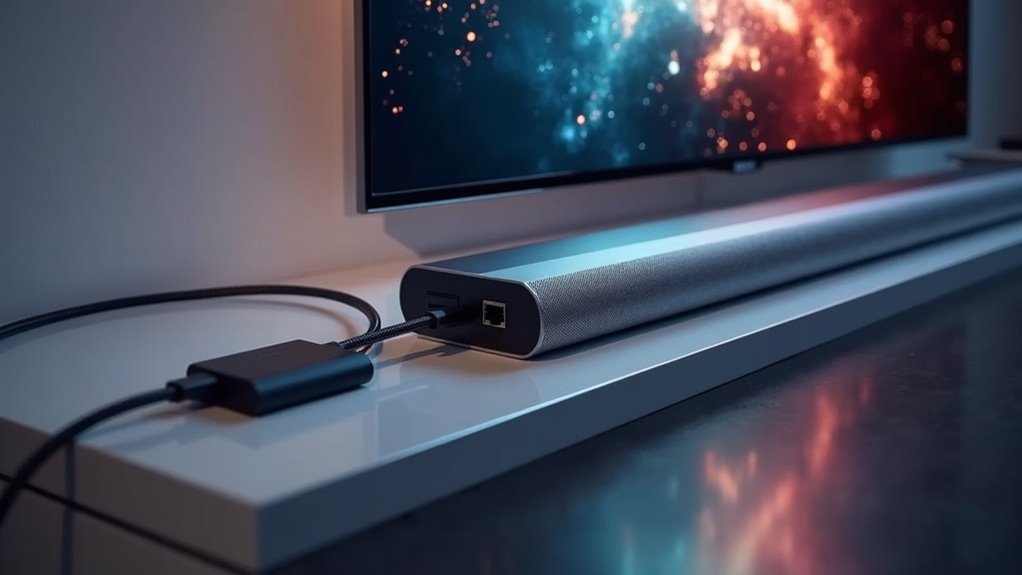
Yes, soundbars that support HDMI ARC can be compatible with HDMI ARC over Ethernet extenders. This setup allows for high-quality audio transmission over longer distances, up to 492 feet, without losing audio fidelity. To ensure optimal performance, check your soundbar’s compatibility with HDMI ARC formats. If everything aligns, you’ll benefit from simplified wiring and superior audio quality. Explore more about the setup process and troubleshooting tips to elevate your soundbar experience even further.
Key Takeaways
- Soundbars must support HDMI ARC and compatible audio formats for optimal performance with HDMI ARC over Ethernet extenders.
- Verification of HDMI ARC port compatibility between the soundbar and the extender is essential for a seamless connection.
- Soundbars that can handle high-bitrate formats like Dolby Atmos can benefit from the enhanced bandwidth of eARC over Ethernet.
- Regular firmware updates on soundbars ensure compatibility with the latest audio formats and ARC functionalities.
- Direct connections via HDMI ARC are preferred for better audio fidelity compared to wireless solutions.
Understanding HDMI ARC and Earc
HDMI ARC and eARC are essential features for enhancing your soundbar experience. HDMI ARC allows audio transmission from your TV to your soundbar using a single HDMI cable, reducing clutter in your home setup.
HDMI ARC simplifies your home setup by enabling audio transmission from your TV to soundbar through a single cable.
eARC, a feature of HDMI 2.1, supports higher bandwidth and uncompressed audio formats like Dolby Atmos, significantly enhancing audio quality for immersive sound.
Both technologies enable two-way communication, allowing soundbars to receive audio while also sending video signals to the display.
It’s important to verify compatibility between your soundbar and HDMI ARC/eARC extenders to ensure optimal performance, as these extenders help maintain audio fidelity over longer distances, offering flexibility in placement without compromising quality.
Benefits of Using HDMI ARC Over Ethernet
Using HDMI ARC over Ethernet offers significant benefits for soundbars, including enhanced audio quality and simplified wiring solutions.
You can extend audio transmission distances up to 492 feet without any loss in quality, making it ideal for larger home theater setups featuring soundbars.
This technology streamlines your installation process while ensuring compatibility with modern sound systems, allowing you to enjoy immersive sound experiences with ease.
Enhanced Audio Quality
When you opt for HDMI ARC over Ethernet for your soundbar, you unlock the capability to transmit high-bitrate audio formats such as Dolby Atmos and DTS:X, ensuring exceptional sound quality even over distances of up to 330 feet (100 meters).
This advanced technology employs CAT 5e/6/6a/7 cables, delivering a reliable connection that significantly reduces audio quality degradation compared to conventional HDMI cables.
With seamless two-way communication, your soundbar receives pristine audio directly from the TV, while also enjoying the convenience of CEC control features.
Simplified Wiring Solutions
Opting for HDMI ARC over Ethernet simplifies your soundbar setup by significantly reducing cable clutter. Instead of multiple HDMI cables, you only need a single CAT cable for audio transmission, making installation easier and neater.
This plug-and-play solution requires no additional software or drivers, allowing you to quickly integrate your soundbar into your home theater system. With HDMI ARC, you also benefit from high-bitrate audio formats like Dolby Atmos and DTS:X, enhancing your audio experience.
Plus, CEC functionality lets you control both your soundbar and TV with one remote, streamlining your setup for maximum convenience.
Extended Transmission Distance
Although traditional HDMI cables have distance limitations, HDMI ARC over Ethernet extenders offer a solution that considerably expands your soundbar setup’s reach.
With these extenders, you can enjoy:
- Extended transmission distance: Up to 492 feet (150 meters) at 96kHz, ensuring optimal placement for your soundbar anywhere in your space.
- Single CAT cable utilization: Reduces cable clutter while maintaining the integrity of high-quality audio signals for an enhanced listening experience.
- Support for high-bitrate audio: Formats like Dolby Atmos enable your soundbar to deliver an immersive audio experience without sacrificing quality.
This innovative approach seamlessly integrates with existing network infrastructure, making it ideal for complex home theater systems that prioritize soundbar performance.
Compatibility Requirements for Soundbars
When selecting a soundbar, it’s essential to ensure it supports audio formats transmitted via HDMI ARC, such as Dolby Atmos and DTS:X, for optimal performance.
Additionally, verify that the soundbar has compatible HDMI ports to connect seamlessly with your TV. Meeting these compatibility requirements will significantly enhance your overall audio experience with soundbars.
Supported Audio Formats
To guarantee ideal audio performance with your soundbar compatible with HDMI ARC, it’s crucial to understand the supported audio formats.
Here are the key formats to take into account:
- PCM 2.0ch – Basic stereo audio suitable for standard setups.
- Dolby 5.1ch and DTS 5.1ch – Surround sound formats that are widely supported by HDMI ARC extenders, enhancing your viewing experience.
- Dolby Atmos and DTS:X – Advanced formats that deliver immersive audio, ideally supported by soundbars utilizing HDMI eARC for superior sound quality.
Additionally, ensure your soundbar features CEC capabilities for seamless device control and regularly check for firmware updates to maintain compatibility with the latest audio formats and features.
HDMI Port Specifications
For soundbars to utilize HDMI ARC functionality effectively, they must have a designated HDMI port that supports ARC features. This port is essential for transmitting audio output between the soundbar and your TV.
When considering HDMI ARC over Ethernet extenders, verify that your soundbar and TV support ARC or eARC to maintain peak audio quality. It’s advisable to use HDMI 2.1 cables for eARC connections to handle higher bandwidth audio formats.
Additionally, some soundbars may need firmware updates for full HDMI ARC compatibility, so always check the manufacturer’s specifications for your specific soundbar model before making any connections.
Setup Process for HDMI ARC Over Ethernet
Although setting up HDMI ARC over Ethernet may seem complex, the process is straightforward with the right equipment.
Follow these steps for a successful setup for your soundbar:
- Connect your soundbar to the HDMI ARC port on the HDMI ARC over Ethernet extender.
- Use shielded CAT6 cables to connect the extender to your TV, ensuring minimal interference for superior audio signal quality.
- Verify compatibility between your soundbar and TV to confirm both support HDMI ARC functionality.
Once these connections are established, you’ll enjoy high-quality audio transmission over long distances, significantly enhancing your soundbar’s performance and your overall home theater experience.
Troubleshooting Common Issues
Have you encountered issues with your soundbar’s audio when using HDMI ARC over Ethernet?
Start by ensuring that your soundbar and TV are powered on and connected properly to the HDMI ARC over Ethernet extender.
Check the settings on both the soundbar and TV to confirm that ARC is enabled.
If audio problems persist, test your HDMI cables; they must meet the specifications for ARC functionality, as poor-quality cables can cause sound issues.
Finally, don’t underestimate the power of restarting all devices, as this can resolve sync problems and enhance audio transmission reliability for your soundbar experience.
Alternatives to HDMI ARC for Audio Transmission
When HDMI ARC isn’t an option for connecting your soundbar, several effective alternatives can still ensure an excellent audio experience. Here are three reliable methods for integrating your soundbar:
- Optical Output: Utilize optical audio cables to create a stable connection between your soundbar and audio source. This method supports 5.1-channel audio formats, though it may not accommodate advanced formats like Dolby Atmos.
- S/PDIF Outputs: These outputs enable audio transmission from devices that lack HDMI ARC, offering flexibility in how you route audio to your soundbar.
- Bluetooth Connectivity: A convenient wireless option for connecting to soundbars, but keep in mind that there may be some latency compared to wired solutions.
For the best audio fidelity when connecting your soundbar, direct connections using standard HDMI cables are always recommended when possible.







