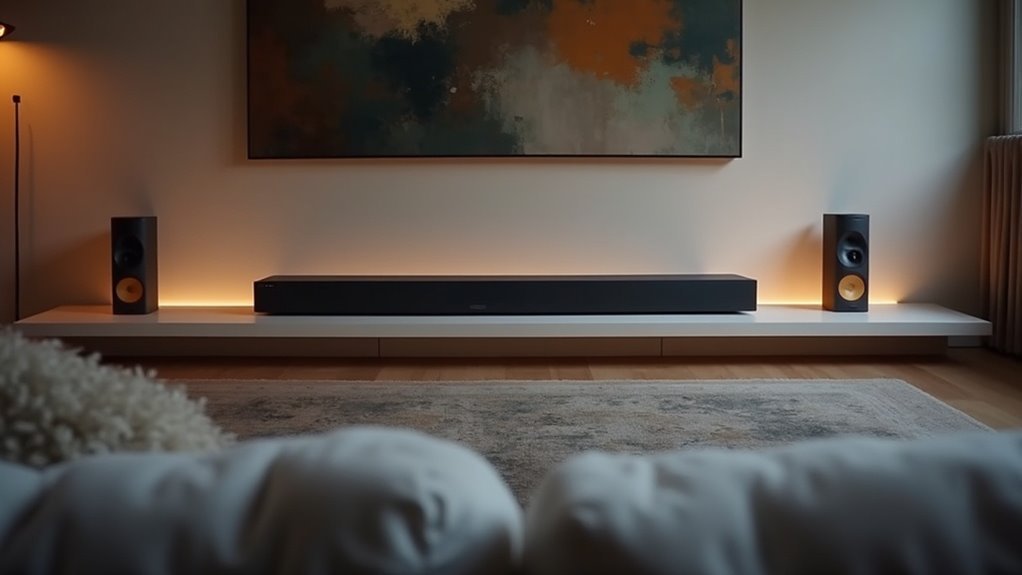
Several soundbars support rear speaker expansion for an immersive audio experience. Notable options include the Nakamichi Shockwafe Ultra 9.2.4, which comes with a wireless rear speaker kit, as well as Samsung’s SWA-9250S and Polk Audio’s SR2 Wireless Surrounds. The JBL Bar 1000 features detachable rear speakers, allowing for flexible placement, while the Magnifi Mini AX permits the addition of extra speakers for enhanced sound. These configurations significantly improve sound quality across various frequencies, so be sure to explore further to find the soundbars that best fit your home theater setup.
Key Takeaways
- Nakamichi Shockwafe Ultra 9.2.4 features four rear surround effects speakers with a wireless rear speaker kit, elevating your audio experience.
- Samsung’s Wireless Rear Speaker Kit (SWA-9250S) is compatible with select soundbars, allowing for an enhanced sound quality through the addition of rear speakers.
- Polk Audio’s SR2 Wireless Surrounds work seamlessly with the MagniFi and React Series soundbars, providing versatility in surround sound configurations.
- JBL Bar 1000 boasts detachable rear speakers, enabling a 7.1.4 surround sound setup that significantly enhances audio immersion.
- It’s important to note that not all soundbars support rear speaker expansion; for instance, the Bose Smart Soundbar 1100 does not offer this feature.
Overview of Rear Speaker Expansion Technology
Rear speaker expansion technology significantly improves your soundbar setup, elevating your home audio experience.
By allowing soundbars to connect additional speakers, either wirelessly or through wired connections, it creates a more immersive surround sound environment that’s essential for enjoying movies and music.
Connecting additional speakers to soundbars, whether wirelessly or wired, enhances immersion for an unparalleled movie and music experience.
Many modern soundbars support a Wireless Rear Speaker Kit, making installation straightforward without the hassle of complex wiring.
Some high-end models, such as the Nakamichi Shockwafe Ultra 9.2.4, come with dedicated rear surround speakers included.
These systems utilize advanced audio processing technologies like Dolby Atmos or DTS:X to deliver dynamic, spatial audio.
Furthermore, compatibility with smart home devices enhances convenience by enabling voice control, further enriching your audio experience with soundbars.
Compatible Soundbars for Surround Sound Enhancement
When considering soundbars for surround sound enhancement, it’s essential to evaluate models that support wireless rear speakers, such as the Nakamichi Shockwafe Ultra 9.2.4 and Samsung’s Wireless Rear Speaker Kit.
The installation and setup process can vary by brand, which can impact overall audio performance. Understanding these factors ensures you select a compatible soundbar that effectively meets your home theater needs.
Soundbar Models Overview
Several soundbar models stand out for their compatibility with rear speaker expansion, greatly enhancing the surround sound experience.
The Nakamichi Shockwafe Ultra 9.2.4 Channel Soundbar includes four rear surround effects speakers, eliminating extra purchases for immersive audio.
Samsung’s Wireless Rear Speaker Kit (SWA-9250S) pairs effortlessly with compatible Samsung soundbars, delivering true surround sound capabilities.
Polk Audio’s SR2 Wireless Surrounds work with select MagniFi and React Series soundbars, offering a straightforward, wireless solution to expand your audio setup.
The Magnifi Mini AX allows additional rear speakers, making it versatile for both movies and music, markedly enhancing audio immersion.
Wireless Rear Speaker Options
To elevate your home audio experience with soundbars, considering wireless rear speaker options is essential.
The Nakamichi Shockwafe Ultra 9.2.4 features a wireless rear speaker kit, allowing for seamless surround sound without messy cables.
Samsung’s SWA-9250S kit is designed to pair with select soundbars, delivering true wireless surround sound.
For Polk Audio fans, the SR2 Wireless Surrounds can be integrated with specific MagniFi and React Series models, enhancing your cinematic experience.
Additionally, the JBL Bar 1000 boasts detachable rear speakers for a robust 7.1.4 setup.
However, it’s important to note that not all soundbars, such as the Bose Smart Soundbar 1100, support wireless rear speakers for home theater expansion.
Installation and Setup Process
Installing and setting up wireless rear speakers to enhance your soundbar can greatly transform your home audio experience. Here’s a streamlined process for effective installation:
- Choose Compatible Speakers: Ensure your soundbar supports rear speaker expansion, such as the Nakamichi Shockwafe or Samsung’s Wireless Rear Speaker Kit.
- Position the Speakers: Place the rear speakers behind your seating area for optimal surround sound.
- Connect Wirelessly: Adhere to the manufacturer’s instructions to pair the speakers with your soundbar, simplifying the setup by eliminating complex wiring.
- Test the Setup: Play a variety of audio formats to fine-tune speaker placement and settings, ensuring a balanced and immersive listening experience.
Benefits of Adding Rear Speakers
While many soundbar systems offer a satisfactory audio experience, incorporating rear speakers can significantly enhance your home theater setup.
By adding rear speakers, you create a more immersive audio environment, allowing you to feel enveloped in sound as though you’re part of the action. This enhancement particularly improves spatial audio effects, especially for movies and gaming, where directional sound cues contribute to clarity and engagement.
Furthermore, rear speakers provide a fuller sound profile, balancing audio across various frequencies. Ultimately, this upgrade transforms a basic soundbar arrangement into a more complete home theater system, delivering an elevated listening experience that competes with traditional surround sound setups.
Setup Process for Rear Speaker Kits
When setting up rear speaker kits for your soundbar, it’s essential to ensure compatibility with your soundbar model and verify that you have the necessary wireless connectivity options.
Position the rear speakers behind your main listening area to enhance audio immersion, and take advantage of the user-friendly installation process that allows for a setup in just minutes.
This streamlined approach eliminates the hassle of wiring and enables you to quickly customize sound settings for an optimized listening experience.
Installation Requirements
To enhance your audio experience with rear speaker kits for soundbars, you’ll find that the setup process is remarkably straightforward.
Here’s what you need to do for effective installation:
- Verify that your soundbar supports rear speaker expansion.
- Connect the wireless subwoofer and rear speakers to power.
- Position the rear speakers either on shelves or wall-mounted, depending on your room’s layout.
- Follow the soundbar’s instructions to pair the speakers wirelessly.
This uncomplicated installation allows you to enjoy immersive surround sound quickly without extensive wiring, maximizing both convenience and audio quality in your soundbar setup.
Wireless Connectivity Options
As you explore soundbar options with integrated wireless connectivity for rear speaker kits, you’ll discover that many modern models, such as the Nakamichi Shockwafe Ultra 9.2.4 and select Polk soundbars, provide seamless integration without the hassle of complex wiring.
The Nakamichi system simplifies setup, typically taking about 30 minutes to connect dual 10” subwoofers and 4 rear surround speakers wirelessly.
Similarly, Polk’s SR2 Wireless Surrounds enable true surround sound without requiring a separate AV receiver.
These soundbar systems often utilize Bluetooth or proprietary technology, ensuring a hassle-free installation that enhances your audio immersion and overall experience with rich, dynamic soundscapes.
Performance Comparison of Soundbars With Rear Speaker Support
Soundbars equipped with rear speaker support offer a significant enhancement in audio performance, particularly for home theater enthusiasts.
They excel in delivering immersive sound through advanced audio processing and surround effects.
Here’s a comparison of some of the leading models:
- Nakamichi Shockwafe Ultra 9.2.4: This soundbar delivers 360° sound and comes with dual 10” subwoofers, creating a powerful audio experience.
- Samsung SWA-9250S: Known for its ease of setup, this model features wireless connectivity, allowing for true surround sound without the clutter of wires.
- JBL Bar 1000: With detachable rear speakers, this soundbar offers a robust 7.1.4 surround sound experience, giving you flexibility in your audio setup.
- Bose Smart Soundbar 1100: This model prioritizes vocal clarity while seamlessly supporting rear speaker integration for an enriched soundstage.
Each of these soundbars significantly elevates your audio experience, making them excellent choices for anyone looking to enhance their home entertainment system.
User Experiences and Feedback
How do users feel about the sound quality and setup process of soundbars equipped with rear speaker expansion? Many report a significant boost in audio immersion and clarity. The ease of setup is frequently praised, especially with models like the Nakamichi Shockwafe Ultra 9.2.4. Users transitioning from older systems often notice improved bass and overall sound quality.
| Soundbar Model | Key Features | User Feedback |
|---|---|---|
| Nakamichi Ultra 9.2.4 | Wireless rear speakers | Immersive surround sound |
| Samsung SWA-9250S | User-friendly installation | Enhanced surround capabilities |
| Polk Magnifi Series | Significant surround effects | Ideal for movies and music |







