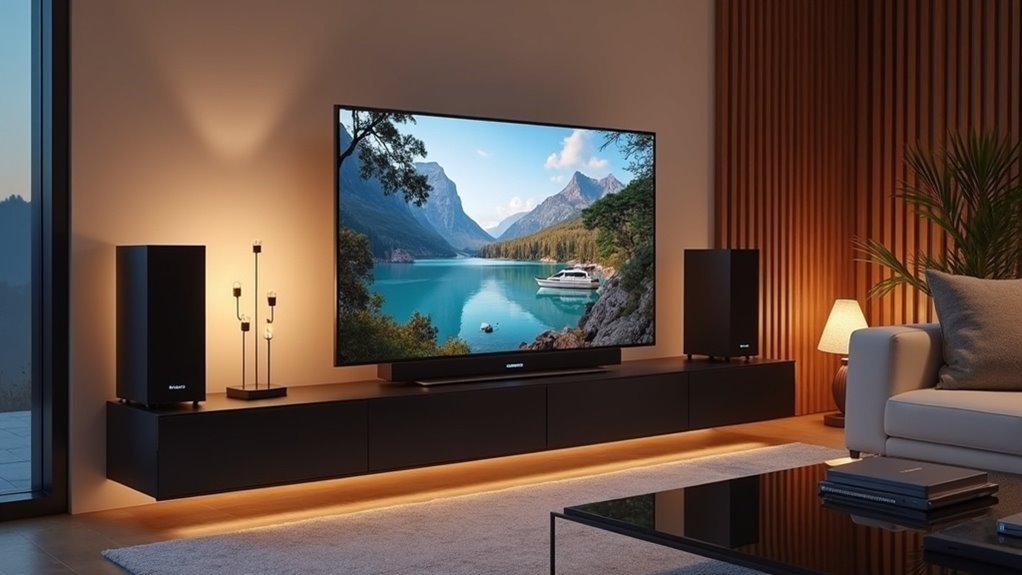
When it comes to soundbars that work seamlessly with your Hisense TV, models such as the Hisense R652, HS2100, and AX5140Q stand out as excellent options. These soundbars easily connect via HDMI ARC, allowing for straightforward audio control. Additionally, third-party soundbar options, like those from DENON, can also be compatible, but it’s important to verify the specific connection requirements. When choosing a soundbar, consider features like wireless subwoofers and Bluetooth connectivity to enhance your audio experience even further. For additional insights into features and optimal setup, feel free to explore more!
Key Takeaways
- Hisense soundbars like the R652 and HS2100 are specifically engineered for seamless integration with Hisense TVs, utilizing HDMI ARC for optimal performance.
- The Hisense 5.1 Ch Soundbar R652 features Dolby Atmos technology, delivering an immersive audio experience that enhances your home entertainment setup.
- While third-party soundbars, such as certain DENON models, may be compatible with Hisense TVs, it’s important to note that compatibility can vary, so checking specifications is advisable.
- Common connection options for soundbars include HDMI ARC, optical audio cables, and Bluetooth for convenient wireless streaming.
- To ensure a smooth setup process, it’s essential to verify proper settings and connections, which can help resolve common challenges when pairing Hisense TVs with soundbars.
Understanding Hisense TV Compatibility
When enhancing your audio experience with soundbars, compatibility with your Hisense TV is crucial.
Hisense soundbars, such as the R652 and HS2100, are designed to integrate seamlessly with Hisense TVs, particularly thanks to their HDMI ARC connectivity. This feature simplifies audio control and allows for a hassle-free setup.
While many third-party soundbars, including models from DENON, may also work, compatibility can vary, so it’s important to check.
Hisense soundbars usually come with wireless subwoofers and various audio enhancement modes, significantly elevating your viewing experience.
To ensure optimal performance, remember to enable CEC settings on your Hisense TV, which facilitates smooth communication with your connected soundbar.
Recommended Soundbars for Hisense TVs
If you’re looking to elevate your audio experience with a Hisense TV, selecting the right soundbar is crucial.
The Hisense 5.1 Ch Soundbar R652 delivers a powerful 440W output and supports Dolby Atmos, making it perfect for creating a full home theater atmosphere.
Experience immersive home theater sound with the Hisense 5.1 Ch Soundbar R652, featuring 440W output and Dolby Atmos support.
For those who prefer a compact and sleek design, the Hisense HS2100 2.1 Channel Soundbar is an excellent choice, featuring a wireless subwoofer and DTS Virtual:X technology for an immersive sound experience.
Additionally, the Hisense 3.1 Channel soundbar also includes Dolby Atmos and a wireless subwoofer, enhancing audio clarity effortlessly.
For dedicated movie enthusiasts, the Hisense AX5140Q 5.1.4 Channel soundbar provides an immersive cinematic audio experience, ensuring that every film night is unforgettable.
Key Features to Look For
Selecting a soundbar that complements your Hisense TV involves understanding the key features that can greatly enhance your audio experience.
Here are some essential qualities to take into account:
- HDMI ARC support: This feature allows for easy connectivity and control with your TV using a single cable.
- Wireless subwoofer: Enjoy a clutter-free setup while experiencing impactful bass.
- Multiple audio modes: Optimize sound quality tailored for movies, music, or news.
- Bluetooth connectivity options: Effortlessly connect smartphones and tablets for versatile audio sources.
Troubleshooting Connection Issues
Are you having trouble connecting your Hisense TV to your soundbar? Here are some common solutions to help you get the best audio experience:
| Issue | Solution |
|---|---|
| Speaker Setting | Switch to ARC in TV settings |
| Audio Output | Confirm HDMI ARC is selected |
| Cable Compatibility | Replace any damaged HDMI cables |
| Alternative Connection | Use an optical audio cable if needed |
| CEC CONTROL | Enable in TV settings for optimal integration |
Using HDMI ARC With Hisense TVS
When you’re setting up HDMI ARC with your Hisense TV and soundbar, begin by connecting the HDMI OUT (ARC) port on the TV to the soundbar’s HDMI input.
Ensure that you enable HDMI CEC CONTROL in the settings for seamless communication between your devices.
If you encounter any issues, reviewing the input and output settings can assist you in troubleshooting effectively.
HDMI ARC Setup Process
Setting up HDMI ARC with your Hisense TV can greatly enhance your audio experience with a soundbar. Follow these steps to connect your soundbar:
- Enable the HDMI ARC setting in the SYSTEM menu under HDMI & CEC FUNCTIONS.
- Use a high-speed HDMI cable to connect the soundbar to the HDMI ARC port on your Hisense TV.
- Once connected, the TV speakers should automatically turn off, redirecting audio output to your soundbar.
- Confirm the soundbar is set to the correct HDMI ARC input.
This setup will provide you with a seamless audio experience, making movie nights much more enjoyable with your soundbar!
Troubleshooting Common Issues
Even with a proper HDMI ARC setup, issues can still arise when using a soundbar with a Hisense TV. To troubleshoot, verify that the HDMI OUT (ARC) setting is enabled and that the TV’s audio output type is correctly set. Confirm the soundbar’s connection to the correct HDMI ARC input and its mode. If problems persist, consider using an optical audio cable as an alternative. Enabling CEC control in your TV’s settings can also enhance compatibility with the soundbar.
| Issue | Solution | Notes |
|---|---|---|
| No sound | Check audio output settings | Verify ARC is selected |
| Connection failure | Verify HDMI connections | Use optical as backup |
| Soundbar not recognized | Enable CEC control | Improves device recognition |
| Incorrect audio output | Confirm audio type in TV menu | Match soundbar settings |
Compatible Soundbar Models
Finding the right soundbar can greatly enhance your audio experience with a Hisense TV. Here are some compatible models using HDMI ARC for seamless connectivity:
- Hisense R652 5.1 CH: Enjoy 440W output and Dolby Atmos support for an immersive sound experience.
- Hisense HS2100 2.1 CH: This model features a built-in wireless subwoofer, providing an uncluttered setup while delivering powerful bass.
- Channel Soundbar with Wireless: Look for soundbars that offer wireless capabilities for added flexibility in your home theater setup.
- Other Brands: Many users have successfully connected soundbars from other brands, such as DENON, when the settings are configured correctly.
To ensure optimal performance, make sure your Hisense TV and soundbar are set for CEC, which allows for automatic switching between devices.
Alternative Connection Options
If your soundbar doesn’t support HDMI ARC, don’t worry; an optical audio cable offers a solid alternative for connecting to your Hisense TV.
Additionally, you can take advantage of Bluetooth connectivity for a seamless wireless setup, making audio streaming even easier.
With these options available, you can choose the best connection method that suits your soundbar needs.
HDMI ARC Functionality
While HDMI ARC offers a convenient way to connect your soundbar to a Hisense TV, there are alternative options to consider if you encounter issues.
Here are some tips to keep in mind:
- Ensure both your soundbar and TV support HDMI ARC and that you’re using the correct port.
- Check your TV settings to enable CEC for proper communication between your devices.
- If problems persist, consider exploring other connection methods, such as optical cables, for reliable audio transmission.
- Look for Hisense soundbars like the HS2100 or HS3100, which are designed to provide seamless compatibility and optimal audio quality for your home entertainment system.
Optical Audio Cable
When HDMI ARC isn’t the best solution for connecting your Hisense soundbar to your TV, an optical audio cable serves as a reliable alternative.
This type of cable transmits digital audio signals without interference, ensuring high-quality sound performance for all your media.
Setting up an optical audio connection is straightforward and eliminates the complexities often associated with HDMI ARC configurations.
Many Hisense soundbars, including models like the HS2100 and HS3100, support this connection, giving you flexibility in your setup.
Just remember to adjust your TV’s audio output settings to direct sound through the optical output for optimal performance.
Bluetooth Connection Options
How can you elevate your audio experience without the hassle of cables? Connecting your Hisense soundbar to a Bluetooth-enabled TV is a seamless way to enjoy high-quality sound.
Here’s what you’ll love about Bluetooth connections with Hisense soundbars:
- Effortless pairing with popular models like the HS2100 and HS218
- Stream audio from smartphones, tablets, and other devices directly to your soundbar
- Quick setup that eliminates the need for messy wires
- Some soundbar models allow multiple device connections for added convenience
With Bluetooth, you can enjoy your favorite music and media hassle-free.
Upgrade your home entertainment with a Hisense soundbar today!
Customer Experiences and Feedback
Many customers have successfully connected their soundbars to Hisense TVs, sharing their experiences online to assist others with the setup process.
They frequently report that soundbars like the DENON and various Hisense models, such as the HS2100 and R652, offer excellent compatibility and user-friendliness.
However, some users have encountered frustration with complex setup instructions, expressing a desire for clearer guidance.
Some users have faced challenges with complicated setup instructions, wishing for more straightforward guidance.
Common issues include synchronization problems, which are typically resolved by adjusting CEC settings and audio output configurations.
Community discussions enhance the experience, allowing customers to share troubleshooting tips, ensuring you can connect your soundbar effectively without unnecessary purchases.
Enhancing Your Audio Experience
Enhancing Your Audio Experience with Soundbars
Connecting a soundbar to your Hisense TV can significantly elevate your audio experience, transforming your living room into a true home theater. Options like the HS2100 2.1 Channel Soundbar provide immersive sound that enhances every moment.
Here’s how you can optimize your soundbar setup:
- Experience powerful bass with wireless subwoofers for deep, resonating sound.
- Use your TV remote to effortlessly control both the soundbar and your TV.
- Choose from various audio enhancement modes designed specifically for movies, music, and gaming.
- Enjoy the convenience of wireless connectivity, eliminating messy cables and clutter.
With these features, a soundbar will transform your TV sound into an exceptional audio experience, making every viewing truly memorable.







