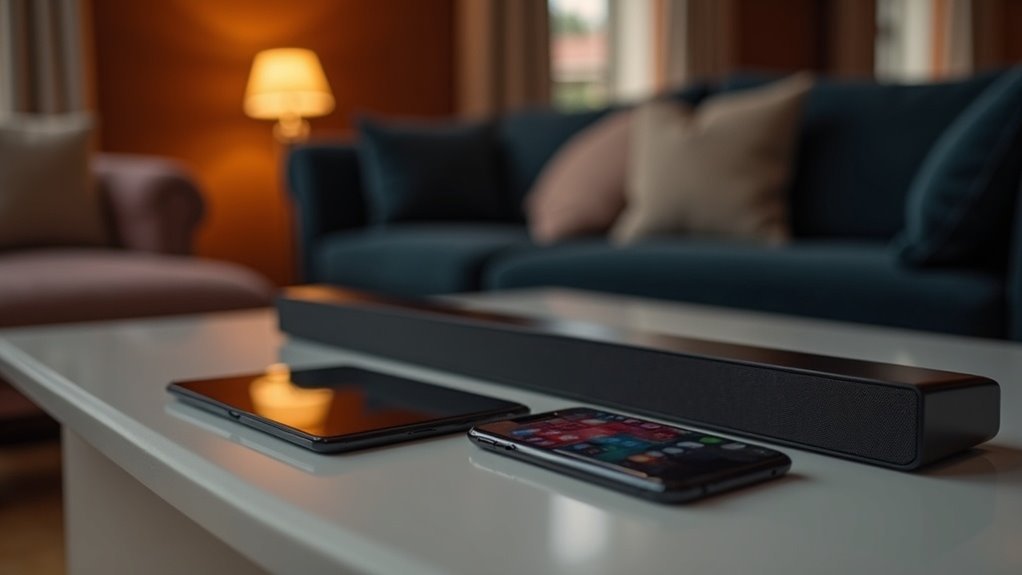
When searching for soundbars that support Bluetooth Multipoint, models like the Sony HT-X8500 and select Bose Smart Soundbar 900 are excellent options. These soundbars allow you to connect multiple devices, making it easy to switch between your phone and laptop without hassle. To ensure optimal performance, verify that both the soundbar and your devices support A2DP and HFP/HSP profiles. You’ll discover a range of features designed to enhance your audio experience, along with more useful information to guide your choice in soundbars.
Key Takeaways
- Soundbars such as the Sony HT-X8500 can connect to two devices simultaneously, featuring Bluetooth Multipoint functionality.
- Certain Bose models, like the Smart Soundbar 900, also provide strong wireless capabilities for multiple connections.
- When selecting a soundbar for Bluetooth Multipoint, ensure compatibility with A2DP and HFP/HSP profiles.
- It’s important to review the specifications of any soundbar to verify Bluetooth Multipoint support before making a purchase.
- Well-known brands like LG and Samsung may also offer soundbar models that support Bluetooth Multipoint, enhancing versatility and convenience.
What Is Bluetooth Multipoint?
Bluetooth Multipoint technology is a game-changer for soundbar users, enabling seamless connections to multiple audio sources at once.
With this capability, you can easily switch from enjoying music on your smartphone to taking calls from your laptop without any disruptions.
Easily transition from music on your smartphone to calls from your laptop, all without interruptions.
To utilize Bluetooth Multipoint, ensure that both your soundbar and the devices you want to connect support A2DP and HFP/HSP profiles.
Compatibility can differ: some soundbars may connect to two smartphones, while others may link to one phone and a computer.
To activate this feature, you typically need to pair your devices and adjust specific settings within the soundbar’s app for optimal performance.
Benefits of Bluetooth Multipoint in Soundbars
The ability to connect multiple devices simultaneously offers significant advantages for users of soundbars equipped with Bluetooth Multipoint.
With this feature, you can effortlessly switch between audio sources like smartphones and laptops without the hassle of disconnection. It enhances your soundbar experience by allowing seamless transitions from music playback to taking calls or receiving notifications, ensuring you won’t miss a beat.
In multi-device environments, Bluetooth Multipoint improves versatility, catering to those who frequently juggle entertainment and communication. Plus, it eliminates the need for constant re-pairing of devices, making your wireless soundbar experience more convenient and enjoyable.
How to Use Bluetooth Multipoint
To use Bluetooth Multipoint with your soundbar, first, verify that your soundbar supports the necessary A2DP and HFP/HSP connections.
Next, pair your soundbar with your desired devices and activate the Multipoint feature, which is typically located in the settings menu or companion app.
Once configured, you’ll be able to manage audio sources seamlessly, switching between devices such as a smartphone and laptop without interruption.
Enjoy the enhanced versatility of your soundbar as you make the most of your audio experience.
Activating Bluetooth Multipoint Feature
Activating the Bluetooth Multipoint feature on your compatible soundbar can greatly enhance your audio experience by allowing simultaneous connections to multiple devices.
To get started, follow these steps:
- Check that your soundbar supports A2DP and HFP/HSP connections.
- Access the soundbar’s app or settings menu to enable the Multipoint option.
- Pair your devices, ensuring that you can connect up to two at a time.
By using the Bluetooth Multipoint feature, you can seamlessly switch between devices without the hassle of disconnecting and reconnecting each time.
Enjoy an improved audio experience with your soundbar!
Device Pairing Process
While setting up your soundbar for Bluetooth Multipoint might seem intimidating, the process is straightforward and user-friendly.
First, verify that your soundbar supports Bluetooth Multipoint by checking for A2DP and HFP/HSP capabilities.
Begin by placing your soundbar in pairing mode, which is usually indicated by a blinking LED or a voice prompt. Connect your first device, such as a smartphone, then reactivate pairing mode to link a second device, like a laptop, without disconnecting the first.
Some soundbars may require a companion app to enable Multipoint functionality, so be sure to consult the user manual for detailed instructions.
Once paired, you can enjoy seamless switching between devices for an enhanced audio experience!
Managing Audio Sources
Managing audio sources with Bluetooth Multipoint can considerably enhance your listening experience, especially when juggling multiple devices and using soundbars.
With soundbars that support this feature, you can effortlessly switch between audio sources without the hassle of disconnecting.
Here’s how to make the most of it:
- Confirm that your soundbar and devices support the necessary Bluetooth profiles.
- Access the soundbar’s app or settings to pair and manage your devices.
- Regularly check for firmware updates to maintain peak performance of your soundbar.
Soundbars Known for Bluetooth Multipoint Support
Have you ever wished you could effortlessly switch between multiple devices while enjoying your favorite content?
Soundbars like the Sony HT-X8500 and select Bose models enhance your listening experience with this convenience. The Sony HT-X8500 allows you to connect two devices simultaneously, enabling you to seamlessly shift between a smartphone and tablet for optimal sound.
Soundbars like the Sony HT-X8500 offer the convenience of connecting two devices at once for a superior audio experience.
Meanwhile, Bose soundbars, including the Smart Soundbar 900, offer robust wireless capabilities. However, it’s essential to verify specific model compatibility for Bluetooth Multipoint support, as this functionality isn’t universally available.
Always review specifications before making a decision to ensure you choose the perfect soundbar for your needs.
Key Features to Look for in Bluetooth Multipoint Soundbars
When shopping for a Bluetooth multipoint soundbar, prioritize device connectivity options that allow for simultaneous connections to multiple devices.
It’s also essential to ensure the soundbar enhances audio quality, delivering clear sound without interruptions when switching between devices.
Additionally, seek out user-friendly control features, such as app integration or compatibility with voice assistants, to make managing your audio experience effortless.
Device Connectivity Options
When exploring soundbars with Bluetooth Multipoint, it’s essential to prioritize device connectivity options that enhance your audio experience.
Consider these key features:
- A2DP and HFP/HSP support for seamless connections.
- Multitasking notifications for incoming calls or alerts from multiple devices.
- Compatibility with smartphones and computers for versatile usage.
Audio Quality Enhancement
To truly elevate your audio experience, consider soundbars that not only support Bluetooth multipoint but also integrate advanced audio technologies.
Look for models featuring Dolby Atmos® and proprietary sound enhancement for a truly immersive sound experience. Ensure compatibility with A2DP and HFP/HSP connections to maximize performance across your devices.
Enhanced dialogue clarity, such as A.I. Dialogue Mode, is essential for enjoying movies and TV shows without straining to hear every word. These features significantly contribute to audio quality enhancement, making your listening experience richer and more engaging.
User-Friendly Control Features
User-Friendly Control Features for Soundbars
Advanced audio features enhance your listening experience, but user-friendly control options are equally important when selecting a Bluetooth multipoint soundbar.
Look for these key features:
- Mobile app integration: Easily manage connections and settings for your soundbar from your smartphone.
- Voice control functionality: Switch between audio sources effortlessly without needing a remote.
- Notification alerts: Stay connected with incoming calls or alerts on one device while enjoying audio from another.
These user-friendly control options not only simplify how you connect multiple devices to your soundbar but also enhance your overall experience, ensuring you don’t miss a beat while juggling various audio sources seamlessly.
Compatibility With Different Devices
As you explore soundbars with Bluetooth Multipoint, it’s crucial to understand their compatibility with various devices. Unlike headphones and portable speakers, most soundbars don’t inherently support Bluetooth Multipoint.
While some soundbars can connect to multiple devices, seamless switching may not always be guaranteed. For optimal functionality, ensure that both the soundbar and your devices support the A2DP and HFP/HSP profiles.
Brands like Bose and Sony provide models that allow for multi-device connectivity, but the true capabilities of Multipoint can differ. Always check the manufacturer’s specifications to confirm whether a soundbar supports Bluetooth to prevent compatibility issues with your devices.
How Bluetooth Multipoint Enhances Your Audio Experience
While many soundbars deliver exceptional audio quality, those equipped with Bluetooth Multipoint elevate your listening experience by enabling simultaneous connections to multiple devices.
- Effortlessly switch between audio sources without needing to disconnect
- Stream music from your smartphone while taking calls on your laptop
- Create a more cohesive home entertainment environment
This feature significantly enhances convenience, allowing you to manage various audio streams with ease.
As long as your devices support A2DP and HFP/HSP connections, you can enjoy high-fidelity audio and efficient call management, enriching every moment you spend enjoying your soundbar.
Troubleshooting Bluetooth Multipoint Connections
Experiencing issues with Bluetooth Multipoint connections on your soundbar can be frustrating, especially when you’re trying to enjoy the seamless audio experience it promises.
Start troubleshooting by confirming that both your soundbar and devices support A2DP and HFP/HSP profiles, as compatibility is key. If your soundbar is already connected to multiple devices, disconnect one, since most only handle two simultaneously.
Restarting your soundbar and paired devices can often resolve connectivity problems, restoring the Multipoint function. Don’t forget to check for firmware updates for your soundbar, which can enhance compatibility.
If notifications or calls aren’t managed correctly, consult your soundbar’s user manual for activation processes specific to your model.







