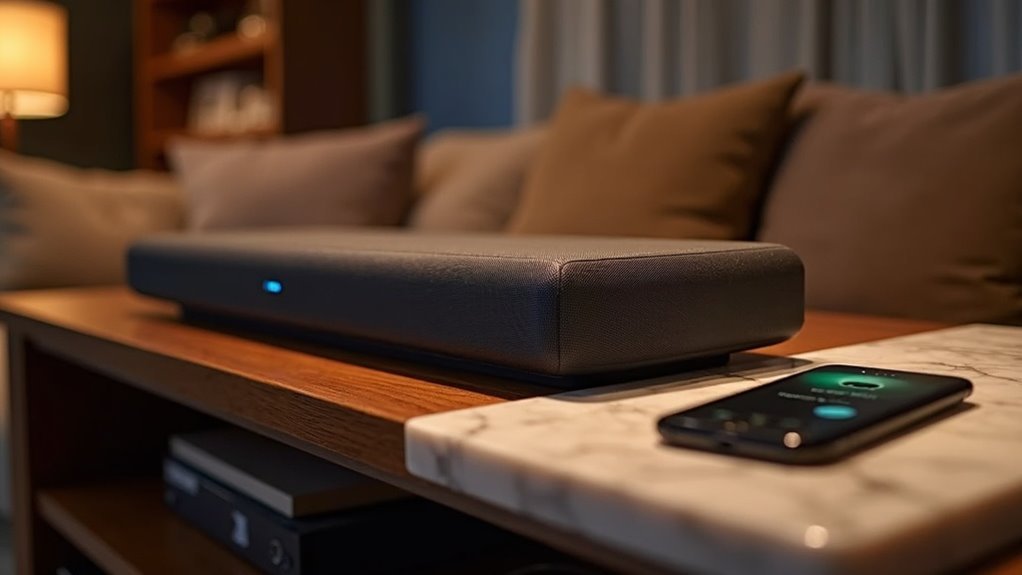
Many modern soundbars support Spotify Connect, allowing you to enjoy high-quality audio streaming with ease. Compatible options include the Bose Dolby Atmos Soundbar, Sonos Arc, and JBL Bar series. These soundbars integrate seamlessly into your home Wi-Fi network for uninterrupted playback. You can control your music through the Spotify app on your smartphone while multitasking. Keep exploring to discover how to set up Spotify Connect on your soundbar and enhance your listening experience even further.
Key Takeaways
- Popular soundbars that support Spotify Connect include the Bose Dolby Atmos Soundbar, Sonos Arc, and JBL Bar series.
- Most modern soundbars are designed to be compatible with Spotify Connect for seamless audio streaming.
- To use Spotify Connect, ensure your soundbar is connected to the same Wi-Fi network as your controlling device.
- Spotify Connect allows high-quality audio streaming from Spotify’s servers directly to the soundbar without interruptions.
- Users can easily select their compatible soundbar from the device list in the Spotify app for quick access.
What Is Spotify Connect?
When you want to enjoy your favorite tunes without the hassle of Bluetooth pairing, Spotify Connect offers a seamless solution specifically designed for soundbars.
This feature allows you to stream audio directly from the Spotify app to compatible soundbars over Wi-Fi, ensuring uninterrupted playback.
With Spotify Connect, your smartphone remains free for other tasks while music plays continuously through your soundbar.
To use it, you’ll need a Spotify Premium subscription, though some features may be accessible to free users.
Just ensure that both your controlling device and soundbar are on the same Wi-Fi network for optimal performance.
How Does Spotify Connect Work?
Spotify Connect operates by utilizing your home Wi-Fi network to stream music directly from Spotify’s servers to your soundbar or other compatible audio devices.
To enjoy this feature with your soundbar, ensure that both your smartphone or computer and the soundbar are connected to the same Wi-Fi network.
Once you start playing a song, you can easily select your soundbar from a list within the Spotify app, allowing for seamless control of playback.
This technology not only frees up your smartphone for other tasks but also significantly enhances your listening experience through your soundbar.
It’s available for both Spotify Premium subscribers and Free users alike, making it an excellent option for anyone looking to elevate their audio experience.
Supported Soundbars With Spotify Connect
If you’re looking to enhance your audio experience, numerous soundbars now support Spotify Connect, making it easier than ever to stream your favorite music directly from the app.
With Spotify Connect, you can enjoy seamless playback and superior sound quality without the hassle of Bluetooth pairing.
Here are some popular soundbar options:
- Bose Dolby Atmos Soundbar
- Sonos Arc
- JBL Bar series
These soundbars provide high-quality audio streaming, including Lossless tracks, ensuring you get the best listening experience.
Just ensure that your soundbar and device are connected to the same Wi-Fi network for optimal functionality.
Enjoy your music!
Setting up Spotify Connect With Your Soundbar
Setting up Spotify Connect with your soundbar is a straightforward process that enhances your music-listening experience.
First, ensure that both your soundbar and smartphone are connected to the same Wi-Fi network. Launch the Spotify app, start playing a track, and tap the device icon to select your soundbar from the list of available devices.
Most modern soundbars, including popular brands like Bose, Sonos, and JBL, support Spotify Connect, allowing for seamless streaming without the need for Bluetooth pairing.
Keep in mind that a Spotify Premium account is typically required to access these features.
Once connected, you can easily control playback through the Spotify app, enjoying a hassle-free listening experience with your soundbar.
Using Your Smartphone While Connected to Spotify Connect
While streaming music through your soundbar via Spotify Connect, you can effortlessly use your smartphone for other tasks without interrupting playback. This capability enhances your soundbar experience remarkably:
- Receive notifications and texts without pausing the music from your soundbar.
- Browse other apps while your soundbar maintains a stable connection over Wi-Fi.
- Control playback, adjusting volume or track selection seamlessly from your smartphone.
With Spotify Connect, you’re free to multitask while enjoying high-quality audio from your soundbar, ensuring that your entertainment isn’t compromised.
Enjoy music and stay connected simultaneously with your soundbar setup.
Voice Control Compatibility With Spotify Connect
When you choose a soundbar that supports Spotify Connect, you’ll enjoy seamless integration with smart speakers.
This feature allows for voice commands to control playback, enabling hands-free music management.
Be sure to check that the soundbar you select is compatible with your preferred smart assistant to enhance your audio experience.
Smart Speaker Integration
Smart soundbar integration with Spotify Connect offers a seamless way to enjoy your favorite music using just your voice.
With devices like Sonos Beam and JBL Bar, you can effortlessly control playback and access your music library.
- Link your Spotify account in your soundbar’s companion app for easy access.
- Set your soundbar as the default music player for quick commands.
- Enjoy voice control compatibility that lets you request specific songs without hassle.
While some soundbars may not support Spotify Connect directly, you can still stream via Bluetooth or other compatible connections.
Enjoy music with convenience!
Voice Command Functionality
As you explore the capabilities of soundbars with Spotify Connect, you’ll find that voice command functionality greatly enhances your listening experience.
Many soundbars, like those from Bose and Sonos, support voice control, enabling you to manage playback effortlessly. Devices such as Amazon Echo and Google Nest Hub integrate seamlessly with Spotify Connect, allowing you to use simple commands without a smartphone.
Streaming Quality With Spotify Connect
When you connect your soundbar using Spotify Connect, you can enjoy lossless audio quality as long as you have a Spotify Premium subscription.
This setup not only enhances your listening experience but also allows your smartphone to multitask without compromising sound performance.
Remember that the audio quality may vary depending on your soundbar’s capabilities and your network conditions, ensuring that you get the best possible sound experience tailored to your home audio setup.
Lossless Audio Quality
While many soundbars support Spotify Connect, not all of them deliver the same level of audio quality, especially when it comes to Lossless streaming.
To ensure you achieve the best sound experience from your soundbar, keep these points in mind:
- Spotify Connect allows streaming of Lossless audio quality for a large portion of its library, enhancing your listening experience through your soundbar.
- Always check the specifications of individual soundbars, as not all models support Lossless streaming capabilities.
- Although Spotify’s Lossless quality may not match that of Tidal or Qobuz, most users find the differences in sound quality to be minimal when enjoyed through a quality soundbar.
Device Compatibility Factors
To enjoy the best streaming quality with your soundbar using Spotify Connect, it’s crucial to consider device compatibility, as not all soundbars offer the same features.
Soundbars that support Spotify Connect allow you to stream directly from the Spotify app over Wi-Fi, ensuring superior audio quality compared to Bluetooth connections.
Popular models from reputable brands like Bose, Sonos, and Samsung are generally compatible, but it’s essential to verify compatibility before making a purchase.
With a stable Wi-Fi connection, you can reduce latency and enhance your listening experience.
Additionally, Spotify Premium users can take advantage of lossless audio for an even richer sound, elevating your overall enjoyment of music through your soundbar.
Enhancing Your Experience With Spotify Connect
By utilizing Spotify Connect, you can significantly enhance your soundbar experience.
With compatible models like the Sonos Arc and various Bose soundbars, you can indulge in high-fidelity audio without the complications of Bluetooth pairing.
Here’s how Spotify Connect amplifies your soundbar experience:
- Stream music directly from the Spotify app over Wi-Fi for superior sound quality
- Control playback effortlessly while multitasking on your smartphone
- Access your favorite playlists and manage soundbar settings directly from the app
Simply connect your soundbar to the same Wi-Fi network as your device, select it in the app, and enjoy uninterrupted music playback.
Embrace the freedom of a seamless audio experience!







