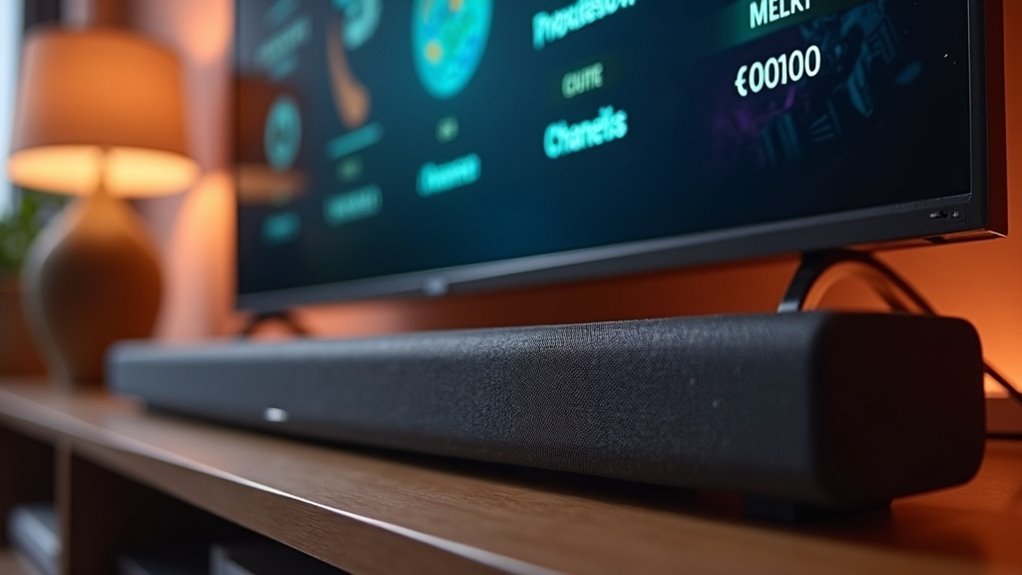
To check your soundbar’s channel count, look for the X.Y.Z format, which indicates horizontal speakers, subwoofers, and up-firing channels. This information can typically be found in the product specifications, packaging, or user manuals. Additionally, many soundbars feature LED displays that show the current configuration, and some even utilize a mobile app for monitoring settings. Familiarizing yourself with these options will enhance your understanding of your soundbar’s capabilities, and there’s much more to explore about soundbar configurations and features.
Key Takeaways
- Check the product specifications on the manufacturer’s website for detailed channel count information in X.Y.Z format, specifically for soundbars.
- Look for channel count details in retailer listings or product descriptions when shopping for soundbars online.
- Refer to the soundbar’s user manual, which typically includes setup details and channel configurations.
- Use the soundbar’s remote control; many models come with an “Info” button that displays the current channel configuration.
- Explore a dedicated mobile app for high-end soundbar models, which may provide easy access to sound settings and channel counts.
Understanding Soundbar Channel Configurations
When you’re exploring soundbars, it’s essential to understand their channel configurations, as this directly influences your audio experience.
Soundbar channels are usually represented in the format X.Y.Z, where X indicates the number of horizontal speakers, Y represents subwoofers, and Z denotes up-firing height channels. For example, a 2.1 configuration includes two main speakers and one subwoofer, enhancing bass performance.
Higher channel configurations, such as 5.1.2 or 9.1.4, provide a more immersive auditory experience with added surround sound and height effects.
The Importance of Channel Count in Audio Experience
Understanding soundbar channel configurations lays the groundwork for appreciating why channel count is vital in shaping your audio experience with soundbars.
A higher channel count enhances your sound environment in several ways:
A higher channel count transforms your listening experience, enriching sound directionality and realism for unparalleled audio immersion.
- Wider Soundstage: More speakers in a soundbar improve audio directionality, creating a more immersive listening experience.
- Surround Sound: Configurations like 5.1 or 9.1.4 in soundbars allow for realistic sound placement, which is vital for cinematic enjoyment.
- Height Effects: Up-firing channels in soundbars contribute to formats like Dolby Atmos, adding depth and realism to your audio.
Ultimately, a greater channel count in soundbars correlates with a more authentic audio experience, making it a significant factor in your soundbar selection.
Identifying Channel Numbers: The Format Breakdown
To effectively identify your soundbar’s channel configuration, you need to understand the X.Y.Z format.
The first digit, X, reveals how many horizontal speakers are present in the soundbar, while the second digit, Y, indicates the count of subwoofers, which are essential for delivering deep bass.
Analyzing these numbers helps you gauge your soundbar’s capability to provide an immersive audio experience, enhancing your overall enjoyment of movies, music, and games.
Understanding Channel Configuration
Soundbar channel configuration can seem complex at first glance, but breaking down the format X.Y.Z reveals its fundamental components.
Understanding this structure helps you grasp the number of channels your soundbar offers:
- First number (X): Indicates the number of main speakers, essential for normal-range audio.
- Second number (Y): Represents the subwoofers, typically one, enhancing bass response.
- Third number (Z): Denotes height or up-firing channels, critical for immersive soundscapes, especially with Dolby Atmos.
This website is dedicated to providing insights on soundbars and their configurations.
Importance of Subwoofer Count
The subwoofer count in a soundbar’s channel configuration is crucial for determining audio quality. Typically, the second number in the configuration indicates the subwoofer count; for example, ‘1’ signifies a single subwoofer, which is essential for enhancing bass response.
Soundbars with channel configurations starting from 2.1 include a subwoofer, delivering low-frequency effects that are critical for a rich audio experience. A configuration with ‘0’ lacks a subwoofer, which can diminish the impact during bass-heavy content.
While many soundbars feature one subwoofer for simplicity, some models allow for multiple subwoofers, greatly improving overall sound depth and richness. Understanding the subwoofer count is necessary for evaluating the audio performance of soundbars.
Where to Find Channel Count Information
When shopping for a soundbar, knowing where to find channel count information can greatly enhance your decision-making process.
You can typically find this information in:
- Product Specifications: Check the manufacturer’s website or packaging—this section usually includes details about the channel configuration specific to soundbars.
- Retailer Listings: Many retailers provide channel counts in the product details of soundbars, giving you a quick overview of what the system includes.
- User Manuals: The manual or quick start guide for the soundbar often includes setup details and channel configurations, ensuring you understand your soundbar’s capabilities.
This knowledge will aid in selecting the right sound system for your needs.
How to Read Product Specifications
To effectively read product specifications for soundbars, focus on the channel configuration format typically expressed as X.Y.Z. The first number (X) indicates the number of speaker channels, the second (Y) denotes subwoofers, and the third (Z) represents any upward-firing channels.
Common configurations include 2.0, 2.1, 5.1, and 7.1, with higher numbers providing enhanced audio immersion. Always check the manufacturer’s website or retailer listings for detailed product specifications, and pay close attention to up-firing channels, as they’re essential for advanced formats like Dolby Atmos.
Cross-reference channel count with expert reviews for assurance, especially when considering soundbars for your home audio setup.
Checking for Channel Information on Soundbars
How can you easily find out the channel count of a soundbar? Start by checking the product specifications, which usually follow the X.Y.Z format, indicating soundbar channels, subwoofers, and height channels.
Here are three effective ways to verify the channel configuration:
- Look for the channel count printed on the soundbar itself, often near the input ports.
- Consult the user manual for detailed specifications and features.
- Use the settings menu of the companion app or on-screen display when connected to your TV.
These methods guarantee you accurately determine your soundbar’s capabilities.
Using LED Displays to Determine Channel Count
To determine your soundbar’s channel count, start by examining the LED display indicators, which often reveal the current configuration in a format like X.Y.Z.
You can reference the manufacturer specifications for detailed interpretations of these indicators, ensuring you understand your soundbar setup.
Additionally, using your remote control, you can toggle through different modes, with the LED display updating in real-time to reflect the channel changes.
LED Display Indicators
When evaluating your soundbar’s channel count, the LED display is an essential tool for understanding its audio capabilities. By observing the LED indicators, you can easily determine the configuration of audio channels in use.
Here are three key aspects to consider:
- Mode Indication: The display typically shows whether you’re in stereo (2.0) or surround sound (5.1 or higher).
- Color-Coding: Many soundbars utilize color-coded lights to represent different channel counts, providing a quick visual reference.
- Format Confirmation: While playing content like Dolby Atmos, check the display to confirm active channels (e.g., 3.1.2 or 5.1.4 setups).
Understanding these indicators can enhance your experience by ensuring you’re getting the most out of your soundbar’s audio capabilities.
Manufacturer Specifications Reference
Understanding the manufacturer’s specifications is essential for accurately determining your soundbar’s channel count. You can typically find these details on the product’s packaging or in the user manual.
Many soundbars display their channel configurations on LED screens or through indicator lights when powered on. The channel count is usually formatted as X.Y.Z, where X is the number of main speakers, Y indicates subwoofers, and Z signifies up-firing channels.
For high-end models, a dedicated feature in a mobile app may also reveal current settings. Always verify the channel count against the manufacturer’s website for the most accurate information.
Remote Control Options
Many modern soundbars come equipped with remote controls that feature LED displays, making it easy for users to check their channel configurations.
To effectively determine your soundbar’s channel count, follow these steps:
- Press the “Info” or “Settings” button on the remote control to cycle through specifications on the LED display.
- Look for a dedicated button that directly shows the channel count for quick access.
- Verify if the LED display indicates up-firing channels for Dolby Atmos, enhancing your understanding of the sound setup.
For detailed information on specific LED indicators related to channel configurations across different soundbar models, refer to the user manual.
Tips for Choosing the Right Soundbar Based on Channels
When selecting a soundbar, it’s crucial to consider the channel configuration, as it directly impacts your audio experience. A 5.1 configuration offers basic surround sound, while 7.1 enhances immersion with additional side speakers.
If you’re interested in Dolby Atmos, look for soundbars with upward-firing channels that provide a more three-dimensional soundstage. Aim for a model with at least one subwoofer to boost bass response and overall fullness, which is essential for a satisfying audio experience.
For home theater enthusiasts, higher counts like 9.1 or 11.1.4 can recreate a cinematic atmosphere that elevates your viewing experience. Always check product specifications for clear channel counts to effectively assess capabilities based on your audio needs.







