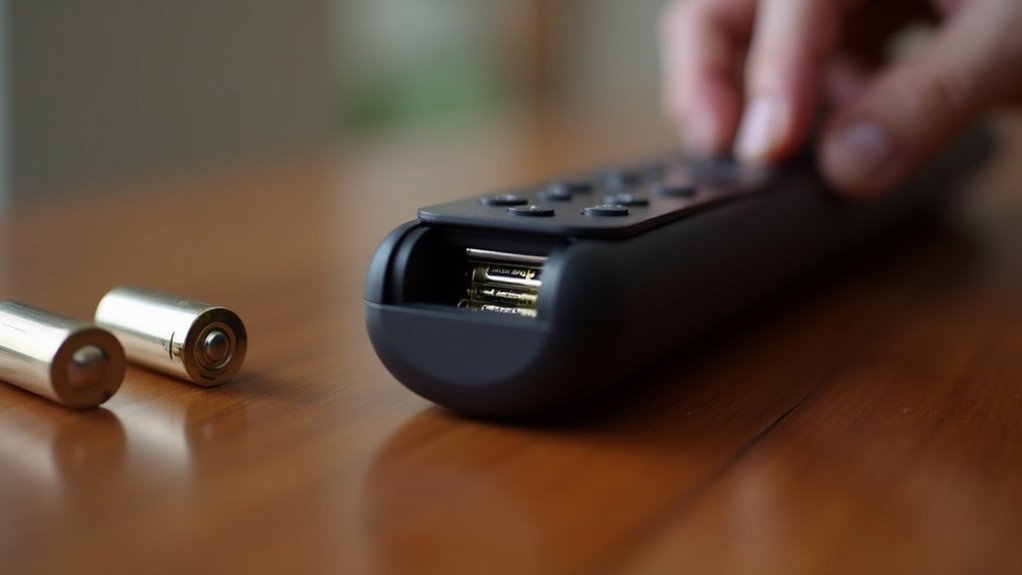
To change your soundbar remote batteries, begin by checking for any low battery indicators on your soundbar. Next, locate the battery door on the back of the remote. Use a coin to open it, and carefully remove the old battery, which is typically a CR2032. Insert the new battery with the positive side facing out, then secure the battery door back in place by turning it clockwise. Finally, test the remote to ensure it’s functioning properly with your soundbar. For an enhanced experience, consider additional tips and tricks for optimizing your soundbar remote usage.
Key Takeaways
- Locate the battery compartment on the back of your soundbar remote. Use a coin to gently open the battery door.
- Carefully remove the old battery, making sure to dispose of it properly in accordance with local regulations.
- Insert the new CR2032 or DL 2032 battery, ensuring that the positive (+) side is facing outward.
- Securely close the battery door by aligning it properly and turning the coin clockwise until it clicks into place.
- Test the remote to confirm that it is functioning correctly and responding as expected after the battery change.
Importance of Battery Maintenance
Battery maintenance is crucial for ensuring that your soundbar remote operates smoothly and effectively.
Regularly checking the performance of your remote control can help you detect when the batteries are running low, often indicated by delayed responses or a complete lack of responsiveness.
To maintain optimal performance, it’s advisable to check the battery status periodically and replace old batteries promptly. This not only restores functionality but also enhances your overall audio experience with the soundbar.
Furthermore, proper disposal and handling of batteries is important, as old batteries can leak or pose fire hazards if not managed properly.
Stay proactive to prevent unexpected interruptions in your entertainment experience.
Opening the Battery Compartment
After ensuring that your soundbar remote is well-maintained with fresh batteries, the next step is to open the battery compartment for replacement.
Follow these steps:
- Locate the battery door on the back of the remote; it’s typically marked for easy identification.
- Use the edge of a coin to insert into the groove on the battery door.
- Rotate the coin counterclockwise to release the battery door, then gently tap the front of the remote to help dislodge it.
Make sure the battery compartment is completely open to access the old batteries for replacement.
This will ensure your soundbar remote functions optimally, allowing you to enjoy your soundbar experience to the fullest.
Removing the Old Battery
To remove the old battery from your soundbar remote, first identify the type of battery it uses, which is typically a CR2032 or a similar model.
Open the battery compartment to carefully remove the old battery. If the compartment doesn’t release easily, gently tap the front of the remote to ensure the compartment door opens fully.
Handle the old battery with care to avoid any potential leakage or damage during removal.
Once you’ve extracted the battery, dispose of it according to local regulations. This ensures you’re following safe environmental practices while preparing to insert new batteries for your soundbar remote.
Installing the New Battery
With the old battery removed, you can now install the new one in your soundbar remote. Follow these steps for installing the new battery properly:
- Make sure you have a CR2032 or DL 2032 battery ready.
- Insert the new battery into the compartment with the positive (+) side facing outwards, aligning it with the contacts.
- Verify the battery is seated securely to ensure your soundbar remote operates effectively.
After installation, test your remote to confirm it’s functioning correctly.
Check for any delayed response or unresponsiveness before securely closing the battery compartment door.
Enjoy seamless control of your soundbar!
Securing the Battery Door
Once you’ve installed the new battery, it’s crucial to secure the battery door properly to ensure your soundbar remote functions correctly.
Start by aligning the battery door back on the remote, making sure it matches the grooves for a proper fit. Next, use a coin to turn the groove clockwise until it locks securely into place.
Align the battery door with the grooves for a secure fit, then turn the groove clockwise with a coin until it locks.
Confirm that the groove is in a vertical position, indicating that the battery door is fully secured. Finally, check that the door is flush with the remote, ensuring there are no gaps or misalignments.
Test the remote’s functionality to verify that your soundbar is responding as it should.







